Learn to play the , a traditional Okinawan musical instrument. Adjust tuning, select scales, and practice finger techniques. Record performances and share audio files. Access instructional guides and track progress.
by CRIMSON TECHNOLOGY, Inc.★ 5.03 ratingsMusic$1.99Data updated 2026-09-29
Create tracks with AI-generated vocals and melodies. Customize style, mood, and instruments. Export original files and retain full copyright. No musical experience needed. Add lyrics and adjust settings for personalized sound.
Learn to play the by viewing finger positions on a 2D . Hear each musical note and listen to a live demonstration. Access lessons for structured practice and instruction.
Play and learn musical instruments with virtual tabs, , , and . Access songs from your music library to maintain rhythm. Adjust tuning for accuracy. Create custom beats using an MP3 player. Sync with Apple Health for progress tracking.
Learn about musical instruments through interactive . Tap on instruments to hear their actual . Explore images and associated audio. Receive feedback on ratings and contact support via email.
Learn to identify musical intervals, chords, scales, and rhythms by listening. Practice ten exercises including interval and chord recognition, melody and rhythm dictation, and chord progressions.
Learn fingering positions with visual charts and audio demonstrations. Choose between Bb and C trumpets. Listen to each note's sound. Access lessons for beginner guidance. View interactive demonstrations by a live player.
View 3D charts for , showing finger positions. Hear each musical note. Watch 3D model demonstrations. Access lessons. Choose between C, Bb, and A types.
Create music by mixing beats and sounds. Tap to select instruments and arrange melodies. Adjust tempo and volume. Save and share custom tracks. Explore a variety of sound effects and musical elements.
Play with a virtual and realistic instrument sounds. Tap keys under falling tiles to follow musical hints. Choose from various and instrument sounds. Track progress and replay game sessions.
Create and perform music with audio and MIDI recording. Use performance tools like repeat, roll, swing, and scale-based chord generation. Edit tracks, arrange sequences, and export final mixes. Sync with external hardware and software instruments.
Generate music by describing ideas, selecting genres, and adjusting AI-generated melodies. Add lyrics, choose instruments, and export tracks in various formats. Share finished songs directly or refine details using editing tools.
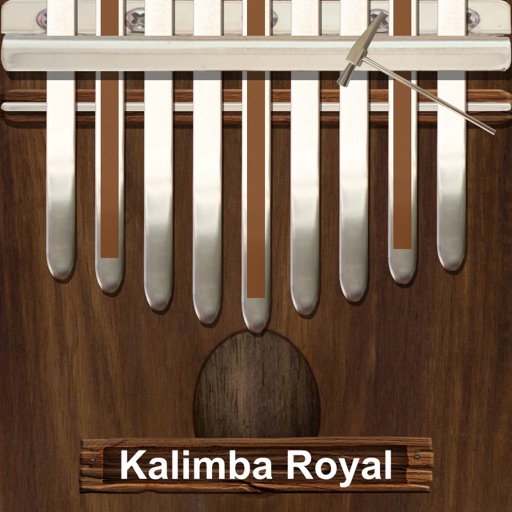
Play a traditional African musical instrument with metal tines. Pluck tines with thumbs to create melodies. Adjust pitch and volume. Save and share recordings. Learn scales and chords through built-in lessons.
Practice with interactive exercises that improve accuracy, rhythm, and note recognition. Use MIDI instruments, microphone input, or on-screen keyboard for flexible practice. Track progress and refine musical skills through targeted sessions.
Scan to listen to the notes in real time. Upload or capture printed and hear it played back in various instrument formats. Choose different playback options and adjust tempo or pitch as needed. Sync with devices to access offline.
The app offers a musical experience with eight glowing instrument sounds including piano, drums, and guitar. Users can record their music and replay it with different instruments.
Play with a full 88-key keyboard and haptic feedback. Use multi-touch for chords and dynamics. Access 50+ instrument tones. Learn through interactive practice. Control via widgets without launching the .