Apps Like Audiometry (1-18 kHz) for iPhone and iPad
Test hearing and determine age range
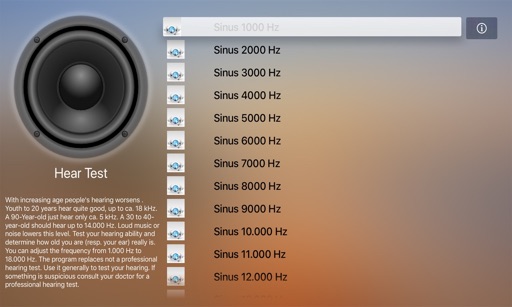
Test hearing ability by adjusting frequency from 1.000 Hz to 18.000 Hz. Determine hearing range and compare to age-related thresholds. Provide general hearing assessment, not a professional test.
by Kai Bruchmann★ 1.65 ratingsMedical$0.99Data updated 2026-09-06
Ability at home by measuring response to sounds between 125 Hz and 8000 Hz. Display results in an easy-to-read graph. Play sounds up to 20,000 Hz to estimate "ear age" based on high-frequency .
Manage hearing health with real-time hearing aid control and settings adjustments. Take free hearing screenings, access expert content, and communicate with clinicians. Monitor hearing progress and receive personalized recommendations.
Control hearing aids, adjust settings, save favorites
Control hearing aids via mobile device to switch programs and adjust sound settings. Save custom adjustments as favorites. Locate lost hearing aids. Receive firmware updates from hearing care professionals. Learn features through guided instructions.
Create personalized stations based on songs, artists, or genres. Search or browse for mood- or activity-based recommendations. Access and stay updated on new releases. Stream current global hits and listen to favorite artists.
Control hearing aid volume individually or together. Mute surroundings for focus. Switch between programmed settings. Check battery levels. Adjust settings via Apple Watch when within Bluetooth range.
Remote control allows adjustment of volume and settings for hearing aids. Track health data related to hearing. Customize hearing aid settings for different environments. View and manage personalization options for devices.
Generate tones between 50 Hz and 30,000 Hz for testing or tuning. Track environmental noise levels and detect harmful sound pressure. from phone speakers using sound waves to restore sound clarity.
Control hearing aids via mobile device or Apple Watch. Adjust volume for each aid separately or together. Mute surroundings for focus. Switch between programs set by professionals. Check battery levels. Stream calls.
Control noise cancellation levels on QuietComfort headphones and earbuds. Adjust equalizer settings and manage connected devices. Pair and manage speakers, soundbars, and amplifiers. Monitor battery life and firmware updates.
Generate tone sounds with adjustable frequency settings from 160Hz to 20000Hz. Use slider or numeric input to set frequency. Play the selected tone. Test hearing by listening to different frequencies.
Adjust volume and balance, change hearing programs, and monitor battery status and device connection. View Health Insights on physical and social activities. Schedule Virtual Appointments and access TeleCare for support.
Adjust hearing aid settings including volume and program selection. Customize sound preferences for different environments. Control device features remotely. View battery status and manage connectivity settings.
Clean iPhone speakers by generating a sine wave . Adjust frequency with swipe gestures. Control intensity for effective moisture removal. Perform cleaning sessions to restore speaker clarity.
Generate frequencies between 1Hz and 25,000Hz. Adjust using swipe gestures or arrow buttons. View real-time wave visualizations. Test hearing range by listening to tones within 20Hz to 20,000Hz.
Clean speakers and headphones using sound waves to remove dust and moisture without disassembly. Perform automatic or manual cleaning with scheduled reminders. Conduct basic sound tests to check speaker functionality.