Create and edit electronic music with a sequencer, synthesizer, and sampler. Record samples via microphone or re-sample existing audio. Use 8 channels with 8 patterns each for rhythm and melody. Automate parameters and export projects as WAV files.
by Oliver Wittchow★ 4.469 ratingsMusic$3.99Data updated 2026-10-10
The app enables users to create a polyphonic keyboard with 84 voices and assign different audio samples to each key. Users can save keyboard configurations and audio effects into infinite sound banks for real-time use.
A synthesizer with 16 voice polyphonic capabilities. Users can create sounds using two oscillators per voice, adjust ADSR envelopes, apply filters, and control amplification. Includes effects, a sequencer, and audio visualization.
Memos and audio clips with adjustable quality and unlimited length. Save in MP3, WAV, or MP4 formats. Export files to Google Drive or Dropbox. Import and convert between supported formats.
Record audio in MP3, M4A, and WAV formats. Save and share files to iCloud Drive, Dropbox, Google Drive, and OneDrive. Trim and merge audio files. Transfer large files via USB to a PC. Share via WhatsApp by opening in another .
Play music, customize playlists, and control playback
Play music files in multiple formats including , APE, and MP3. Customize 3D and normal sound effects. Queue and manage sound effects. View and control lyrics. Share custom sound effects. Control playback with a customizable interface.
Export to Microsoft Excel or VCF format. Select individual or export all at once. Preview files before sharing or mailing. Backup using XLSX files. Edit file names and delete exported files as needed.
Create and manipulate monophonic bass sounds with a synthesizer featuring 140+ factory presets. Apply stereo effects and control via ROLI Seaboard or other MPE controllers.
Create and manipulate sound with three independent synthesizers. Adjust pitch from 8–20,000 Hz. Slide or snap notes to scales with customizable glide rates. Set and edit individual notes for precise musical control.
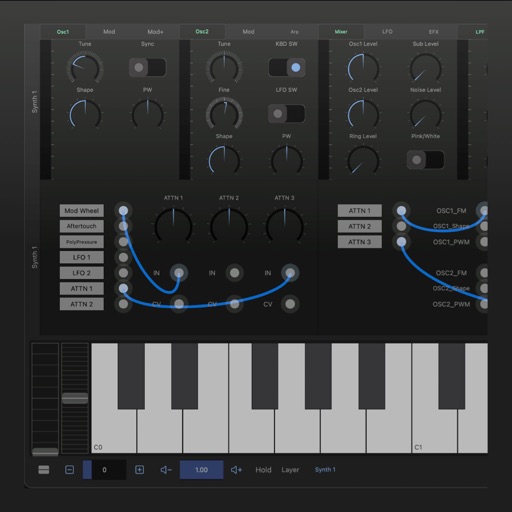
Create and shape sounds with analog-style oscillators and modulation effects. Adjust parameters for deep basses, lush pads, and vibrant leads. Use cross-modulation, PWM, and polyphonic unison for rich tones.
The app provides a portable editing tool for web engineers and designers. It allows users to write JavaScript, HTML, and CSS source code, preview it on an internal browser, and view console logs or errors.
Create complex sounds using , FM, Additive, and Subtractive synthesis. Combine up to four layers for evolving soundscapes. Import custom samples or capture live audio for granulation. Adjust parameters to shape unique textures and ambient drones.
Manage sound files and MIDI files by organizing, renaming, and moving them. Record, trim, convert, normalize, and transfer files between apps or devices. Import and export audio, zip and unzip files, and create folders for easy access.
Create and edit music with an 8-track sequencer, record loops and melodies, and control instruments in real-time. Use a flexible mixer with DSP effects. Edit tracks via step sequencer and automation.
Lets users instantly preview and play samples from their iOS device. They can create kits by tagging files and sync tags and favorites via iCloud. Samples can be played via pads and exported as chains for use in preferred software.