The app allows users to create collages for iPhone or iPod Touch wallpaper using a multitouch interface. It offers creative options such as a black-and-white or sepia converter, border addition, and transparency adjustment.
by TriggerWave LLC★ 3.22,599 ratingsPhoto & VideoFreeData updated 2026-09-10
Create carousels by arranging photos in a seamless layout. Add handmade stickers, cool fonts, and analog textures. Edit images with adjustment tools. Export and share finished collages directly.
Record videos with a 4K and add clips to projects via widgets. Edit vlogs by trimming multiple clips to the same length. Create quick recaps, intros, and previews. Browse content from specific dates. Use AI tools to generate images.
Edit photos to convert them into and with adjustable contrast, brightness, and grain. Apply filters and vintage effects. Crop, rotate, and add text overlays. Save and share edited images in various formats.
Turn photos into black-and-white pages with options like Manga, Mandala, and Pop Art. Upload images, select styles, and access a library of categories. Create clean outlines for digital .
Edit photos with filters, effects, and AI tools to remove or blur backgrounds. Add stickers, text, and frames. Apply glitch, neon, and drip effects. Adjust colors and crop images. Export and share edited photos directly.
Create custom wallpapers with scaling and resizing options on various backgrounds. Choose from color, gradient, pattern, bokeh, and text effects. Apply parallax effect for all iPhone and iPad devices.
Edit photos with advanced tools like layers, masks, and adjustment brushes. Crop, rotate, and resize images. Add text, stickers, and special effects. Export in various formats and share directly.
Create collages by arranging photos in various layouts and adjusting their position, angle, and size. Apply unique filters and choose from rich typography styles and text stickers.
Play with an 88-key virtual keyboard. Use multitouch, adjust metronome settings, and control sustain pedal. Access double row keyboard layout and high-resolution graphics. Customize sound options and save performance settings.
Create collages with customizable grids and multiple layout options. Add photos by selecting from camera or gallery. Adjust images using zoom and touch gestures. Change background colors or themes. Save or share collages through social media apps.
Create AI-powered videos with one tap. Capture 4-cut photos with pose guidance and unlimited retakes. Turn selfies into cartoon characters with customizable styles. Add dynamic music and effects to photos and videos. Share edited content directly.
Extract high-quality photos from videos or Live Photos. Select individual frames to save as images. Share extracted photos directly from the . Supports burst extraction and offers precise frame selection.
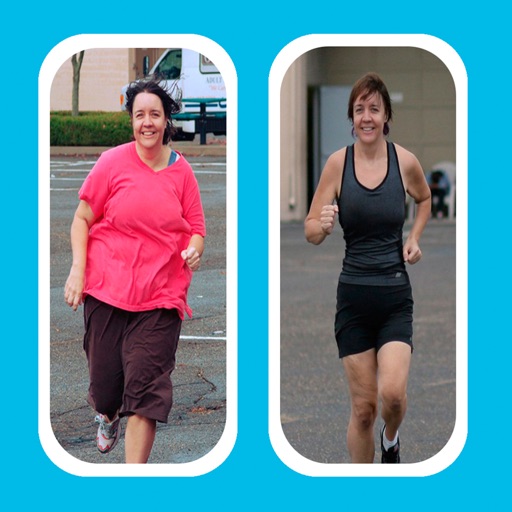
Create -and- photo collages by selecting from two types. Compare images of your body, face, home, or pets over time. Add fun and stylish frames to enhance the visual contrast between photos. Share the final directly.
Upload and edit photos with options to choose format, color, and gradient colors. Add multiple images and post full-size photos to Instagram without cropping. No watermark included.