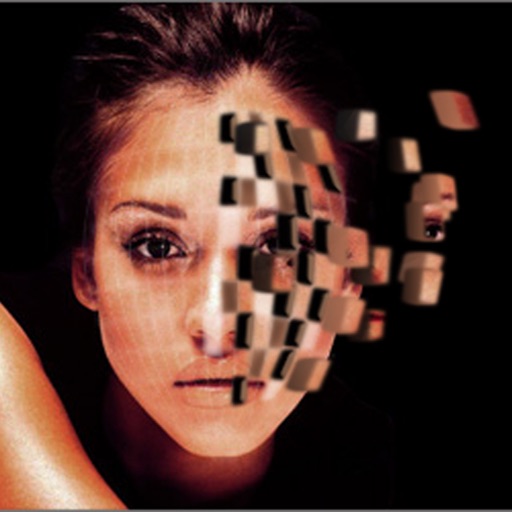
Edit portrait mode photos by adding and adjusting light sources. Reconstruct 3D maps to place new lights with customizable color, intensity, and distance. Save and share enhanced portraits with realistic effects.
Edit photos with filters, contrast, brightness, and color adjustments. Add text, stickers, and drawing tools. Customize images and landscapes. Export in high quality. Access a free image library. Apply advanced editing features.
Capture photos with manual control over exposure, focus, and white balance. Edit images using advanced tools for color correction, contrast, and sharpening. Export in high-resolution formats and share directly.
Edit photos with advanced tools like layers, masks, and adjustment brushes. Crop, rotate, and resize images. Add text, stickers, and special effects. Export in various formats and share directly.
Help users understand how to capture better landscape photos by learning about natural light sources and optimal angles. Provide guidance on timing, positioning, and lighting conditions for ideal shots.
Offers full control over settings including white balance, exposure, ISO, shutter speed, and focus. It supports manual and automatic modes with priority options for ISO and shutter.
Edit video streams with AI-powered enhancements. Blur unwanted gestures and improve video quality. Apply filters. Use as a for Zoom, Meet, Teams, OBS, and other video call software.
The app offers tools for photography, including depth of field, composition assistance, and light metering. It provides features for calculating print resolutions, flash settings, and understanding concepts like reciprocity and hyperfocal distances.
Edit photos using natural language commands to adjust features like body shape and background. Apply AI-generated edits with minimal input. Create short videos with AI-powered tools for editing and enhancing content.
Retouch portraits and selfies with advanced editing tools. Adjust skin tone, remove blemishes, and enhance details. Add artistic filters and effects. Save and share edited photos directly.
Add vibrant color to specific image areas using the Color Splash Effect. Adjust intensity and placement. Export edited in various formats. Share directly from the .
The app helps users find and understand ideal exposure settings for a scene. It makes the relationship between ISO, aperture, and shutter speed intuitive with visual feedback.
Connect to iOS device camera for live streams and meetings. Use manual controls for settings. Draw and add text via voice on video feed. Pause video to annotate. Stream via USB, HDMI, or AirPlay to Ecamm, OBS, or Zoom.
Edit photos by blurring backgrounds, faces, or specific subjects. Apply various effects and filters. Save edited images to the camera roll or share them directly.
Capture photos and videos using Bracketing, Slow Shutter, and Time-lapse modes. Adjust exposure, focus, and white balance manually. Export raw files and share directly. Sync with Apple Health for activity tracking.