Learn the through interactive balloons. Tap floating letters to hear their names in . Collect all letters to play a song. Choose from four themed images with unique melodies. Letters are displayed in four different graphic styles.
The app offers a piano interface with multiple instrument sounds including piano, pan flute, and violin. Users can play along with songs and enjoy percussion instruments with G-sensor support.
Access songs by artist, category, or lyrics. View chords for 2000+ songs in Hindi, English, and Marathi. Transpose song scales. Bookmark favorite tracks. Auto-scroll for guitar or piano playback. Search by chord progressions. No ads or popups.
Surf songs from Spotify or Apple and share them with friends. Receive and save friends' recommendations. Earn points and climb a leaderboard based on wave size. Track song activity and view friend recommendations.
The app offers over 85 anime and Japan music radio stations from around the world. It displays the name of the song being played and allows users to save selected stations for easy access.
Listen to music, sports, and news from . Instantly play stations with song details. Message friends and DJs in real time. Access social media feeds and set alerts for scheduled events.
The app simulates a turning tape cassette when a song is played, bringing users back to the old days. It supports internet radio with over 1000 web radio stations.
Listen to streams with song information and real-time updates. Message friends, DJs, and listeners. Access social media feeds and set alerts for favorite shows and events.
Learn to play piano through interactive gameplay and family-friendly lessons. Follow rhythm and accuracy with guided practice. Watch demonstration videos for proper hand position.
The app allows users to adjust the tempo of songs from Apple Music, their Music app, or the Files app. Users can select any tempo between -50% and +100% and loop specific song sections for practice.
Play with DJ-style controls. Double-tap to start songs. Swipe to add or remove tracks from the playlist. Customize the main screen with a custom title. Automate voice-over announcements. Manage playlists and queue songs from a library.
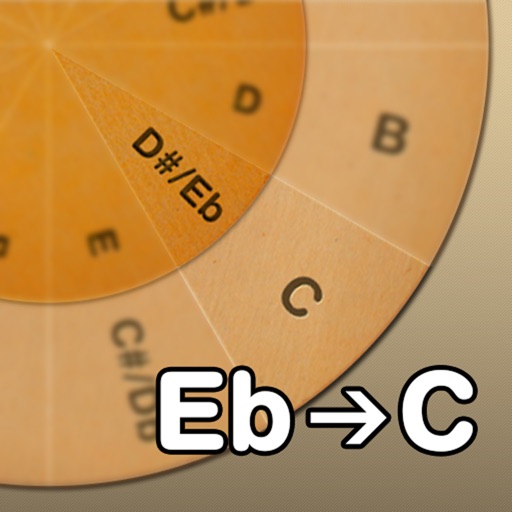
Adjust musical keys by rotating wheels to match original and target keys. Transpose chords for guitar players using capo positions. Modify song pitch to suit vocal range or instrument tuning.
Catalog and organize chord charts and lyrics. Import from online sources or create new charts. Sync across devices via iCloud. Build and share setlists. Transpose, capo, or rewrite chords. Use with metronome, autoscroll, and chord buttons.
Create and arrange music with chord progression tools, lead sheet display, and notation editing. Generate backing tracks, export songs, and transfer files. Play and record melodies, add lyrics, and print sheet music.
Learn math by solving equations to unlock musical notes and play songs on a virtual piano. Track progress through interactive lessons and customize difficulty levels. Share achievements and unlock new songs as skills improve.
Play a rhythm game with 80s-themed visuals and neon Miami setting. Navigate lanes to sync with music and avoid obstacles. Adjust speed and visuals based on song. Earn coins by completing songs and unlocking new content.