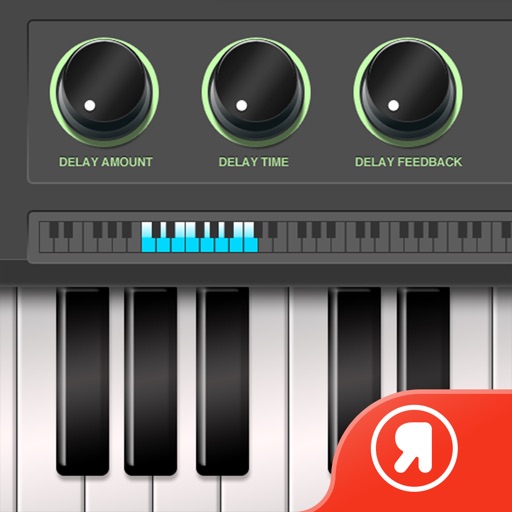
The app produces a feedback delay effect on sounds from the iPhone's microphone. Users can create musical patterns or experiment with sounds using various adjustable parameters and audio filters.
by 正行 Akamatsu★ 3.65 ratingsMusic$0.99Data updated 2026-09-10
Create and manipulate effects using a step sequencer interface. Adjust tape simulation settings including compression, saturation, hiss, head bias, and wow/flutter. Export audio files and apply effects during recording or playback.
The app provides real-time audio effects including bitcrush, delay, and gain. It functions as a looper and sampler, allowing users to record and manipulate audio from various input sources.
Edit by splicing, mixing, and cutting. Record with wired or wireless earphones. Adjust playback speed from 0.2 to 4 times. Balance left and right channels. Export edited files.
Create and customize drum patterns using synthesis models. Adjust parameters like pitch, timing, and velocity. Layer multiple drum sounds. Export projects and share files. Sync with MIDI devices.
Play a turn-based strategy game where players move tokens from start to finish using dice rolls. Challenge up to three opponents. Use special moves like jumping over tokens or blocking. Customize avatars and track progress through achievements.
Control multiple pendulums and synchronize them for precise timing. Adjust tempo from 20 to 999 bpm. Use the for practice, live performance, or studio recording. Sync with other devices for coordinated playing.
Record and manipulate audio with a virtual deck featuring 3 controllable read heads, variable delay, and feedback. Sample, loop, and overdub audio. Use as a master effect or virtual recorder. Realtime visualization of movement and effects.
Apply multi-effects to audio with two stereo effect engines using 24 algorithms. Configure effects in series, parallel, or stereo split modes. Control parameters via an XY pad with recordable motion. Adjust settings for precise sound shaping.
Use iOS device as a live microphone for stereo systems or Bluetooth connections. Create karaoke tracks with synced lyrics in any language. Convert speech to text with AI. Record performances automatically with a single button.
Create sequences by tapping on sound samples like Snare, Hi-Hat, and Clap. Adjust tempo (bpm) to control speed. Build sound patterns by arranging samples in a grid. Save and export created sequences.
The app echoes the user's voice back with adjustable delay, making speech difficult. Users can record sessions, share them, and adjust delay settings for different effects.
Record and edit audio using device . Create up to 10 separate tracks. Add lyrics with auto-scrolling notes. Include pop filter to reduce overtones. Visualize audio levels with red alerts for loud sounds. Adjust volume with a mixer.
Turn your iPhone into a wireless karaoke for high-quality vocal performance. Connect via or AirPlay to speakers. Apply 13 voice effects including Helium, Robot, and Echo. Use advanced noise gate to reduce background sounds.