The app provides the sounds of a Gangsa, an Indonesian musical instrument. Users can tap the screen to play sounds, slide for successive notes, and mute sounds using various techniques.
by 正行 Akamatsu★ 5.01 ratingsMusic$0.99Data updated 2026-09-10
Listen to live radio broadcasts featuring diverse genres including country, hip-hop, rock, metal, gospel, and top 40. Browse and switch between multiple internet and terrestrial radio stations. Adjust volume and seek to skip tracks.
The app uses acoustical impulses from a microphone to drive sound modules simulating membranes, cymbals, metallophones, or strings. It offers a semi-modular architecture with various synthesis types to create a wide range of tones.
Create custom sound effects by selecting from available options. Drag chosen sounds onto characters to trigger them. Play interactive scenes with varied audio elements.
Explore musical instruments like , xylophone, and flute through interactive . Tap keys to play notes, complete melodies, and earn rewards. Learn basic concepts through play and repetition. Share progress with parents via in- reports.
Play on your device with realistic studio-quality sounds. Use virtual frets to strum chords and play melodies. Adjust volume, effects, and tuning settings. Save and share custom riffs and songs.
A music that emulates a vibraphone using physical modeling. Users can play in keyboard or mallet mode with adjustable mallet hardness. It supports full polyphony across 49 notes and functions as a standalone instrument.
The app simulates wind blowing falling leaves using powder dots. Users can select over 30 variations of dots, including water, fire, oil, and seeds, to observe their reactions and interactions.
Play and record music with two 5-string tanpuras, a swar mandal, and a sur-peti/shruti box. Adjust tuning with an auto-tuner. Access real Hemraj tanpura sounds. Sync with iTablaPro for additional instruments.
Play videos and audio in high quality, both online and offline. Use Apple Watch speaker or headphones for playback. Organize media into folders and sort by name, duration, or date added.
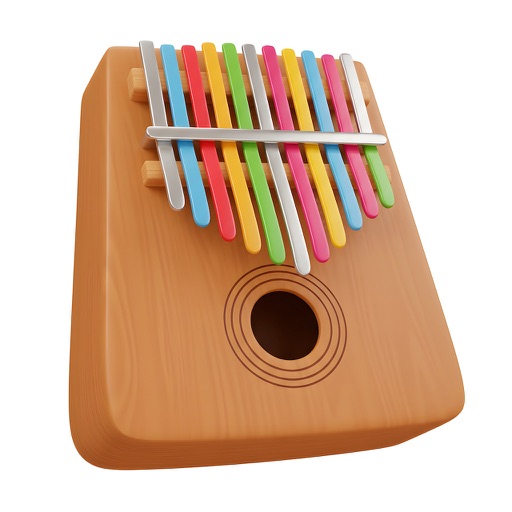
Play melodies by plucking virtual keys with fingers. Simulate multiple note strikes simultaneously. Adjust sound settings and explore different tuning options. Save and share custom compositions. Sync with Apple Health for activity tracking.
Play sounds with realistic sampling and dynamic key sensitivity. Adjust tuning, transpose notes, and apply reverb or chorus effects. Practice with accurate pitch response and explore microtonal options.
Practice guitar rhythms with pre-set patterns in rock, metal, blues, pop, and jazz. Use high-quality recorded sounds. Access 50 loops. Update regularly for new patterns. Adjust settings for user-friendly experience.