The app provides a calculator with a four-level visible stack and a total of one hundred positions. It includes operations for plus, minus, multiply, divide, opposite, and inverse, with keyboard errors notified by vibration.
by Nicolas Jorand★ 4.03 ratingsUtilities$0.99Data updated 2026-09-10
Perform complex calculations using ten built-in calculators. Access ten financial worksheets for budgeting, loans, and investments. Input formulas, view results, and save calculations. Export data as PDF or text. Switch between light and dark modes.
Manage credit card payments through a gamified interface. Track progress toward financial goals with weekly streaks and progress indicators. View all credit cards in one place. Compete in leagues and compare scores with others.
Perform calculations with addition, subtraction, division, and multiplication. Calculate powers, roots, and percentages. Use dark mode, split view, and portrait/landscape orientation. Copy results by pressing and holding numbers.
Perform complex calculations with 10 financial worksheets and 10 calculators. Switch between landscape and portrait modes. View results in decimal, fraction, or percentage formats. Save and recall previous calculations. Export data as text or PDF.
Run programs and perform calculations using a simulated HP-67 calculator. Input numbers and commands via on-screen keys. Access built-in functions and mathematical operations. Load and execute stored programs from magnetic card files.
Perform calculations with real-time results and visible input process. Use scientific and fraction modes. Adjust decimal places and show/hide separators. Access unlimited history. Quick start with backspace and keyboard vibration or sound.
The app offers standard, scientific, statistical, and date math calculator functions. Users can scroll through operations, make changes with instant results, and save formulas or history.
The app provides guidance for solving algebra homework and textbook problems. It includes over 1200 sample problems with animated solution steps and supports scientific and graphing calculators.
Allows users to perform basic and advanced mathematical operations. It includes a sidebar and tab bar for navigation and data sharing. Users can drag and drop entries to create new windows or use the context menu to generate new windows.
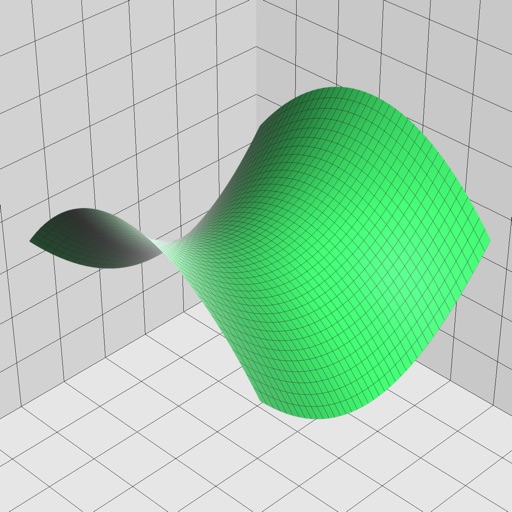
Enter and edit equations in mathematical notation. Visualize 2D and 3D graphs of explicit, implicit, and inequality equations. Adjust settings for display and analysis. Save and share calculations.
The app performs basic operations on video timings. It allows users to add, subtract, multiply, or divide video tape pieces in multiple formats and convert values between formats without re-entry.