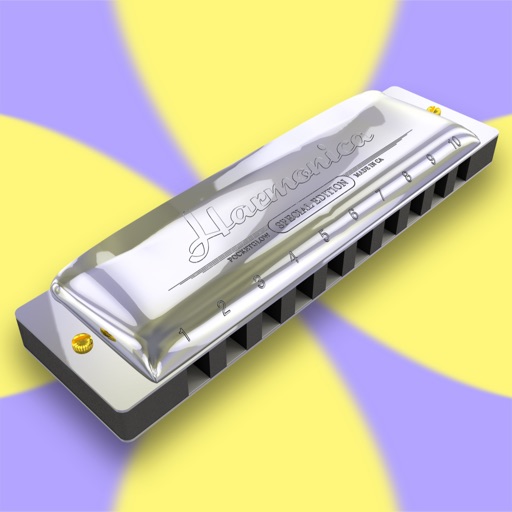
Play melodies using a sampled 10-hole diatonic . Access single notes, chords, blow, draw, and bend sounds across all 12 keys. Touch the screen to play without blowing. Record performances and share them directly.
by Pocketglow LLC★ 4.267 ratingsMusic$0.99Data updated 2026-09-10
Learn music theory with lessons on chords, scales, and intervals. Identify melodies by ear and practice sight reading. Train rhythm, solfège, and note recognition. Sing notes and intervals to improve pitch accuracy.
Convert songs into playable chord charts using YouTube links or uploaded audio files. Access pre-loaded chord charts for top tracks. Get instant chord progressions with AI analysis. Share or save chord diagrams for later use.
Learn to play the by recognizing musical notes and pressing keys to create chords. Practice playing simple tunes. Explore other musical instruments in the . Track progress through interactive lessons and exercises.
Play with a full 88-key keyboard. Adjust key size for easier touch. Choose from a sampled or 128 MIDI instruments. Zoom in and out for better control. Includes a single banner ad. Optimized for iPad use.
Access studio-quality backing tracks for practice and performance. Customize tracks to fit your style. Sync with chords, diagrams, and lyrics for real-time guidance. Jam with virtual band members. Share performances and receive feedback.
Learn piano by playing falling notes on touchscreen or connected keyboard. Practice melodies with real-time note feedback. Play left or right hand separately. Sync with lighted keyboards. View sheet music or falling note blocks.
Learn and practice music intervals, scales, modes, chords, and cadences. Play back examples to understand sounds. Practice with melodic or harmonic exercises. Receive feedback on accuracy. Track progress over time.
Play interactive games with colorful keys and familiar melodies. Tap to play songs like "Twinkle Twinkle" and "Happy Birthday". Repeat lyrics and rhythms to learn music basics. Receive visual feedback for correct taps.
On photos or backgrounds with customizable stencils for shapes and patterns. Use over 1400 stamps to decorate artwork. Apply smudge tool for textured effects without touching the screen. Save and share completed drawings directly.
Play notes with multi-touch gestures to create melodies. Tap keys to produce realistic xylophone sounds. Choose from colorful, child-friendly graphics. Practice finger coordination through interactive gameplay. Adjust volume and sound settings.
Play melodies by blowing into the microphone, simulating a with a virtual air bag. Follow tutorials to learn musical notes and create magical tunes. Share performances and explore traditional music.
Learn to identify musical intervals, chords, scales, and rhythms by listening. Practice ten exercises including interval and chord recognition, melody and rhythm dictation, and chord progressions.
Create walls to guide the ball into the hole. Navigate through 81 levels across 9 themes. Use Apple Pencil for precise drawing. Adjust paths to solve each puzzle.
Play virtual with 17 keys and full string connectivity. Access preloaded songs and lessons. Learn chords and riffs with guided tutorials. Add new tabs weekly. Export performances and share directly.
Explore with chord and scale references. Identify and analyze chords. Create and edit MIDI files. Use AUv3 plugins for sound synthesis and composition. View detailed scale information and interval relationships.
Practice musical notes with adjustable pitch and octave selection. Choose difficulty levels from easy to expert. Use reference pitches in practice mode. Transpose notes to different keys. View note names, piano keys, or solfege.
Create and refine song ideas by generating playable chords, building lyrics with a rhyme tool, and looping progressions. Record vocals or audio ideas directly. Sync with other devices for continued .
Use to add humor or reaction during conversations. Select from a variety of pre-recorded sounds like applause, laugh, wolf whistle, and raspberry. Share sounds directly or use them in social interactions.
Create and edit sheet and guitar tabs using touch piano, guitar fretboard, or drum pads. Play back compositions with over 90 instruments. Share directly or export as PDF. Sync with web version for editing on multiple devices.
Play with a virtual and realistic instrument sounds. Tap keys under falling tiles to follow musical hints. Choose from various and instrument sounds. Track progress and replay game sessions.