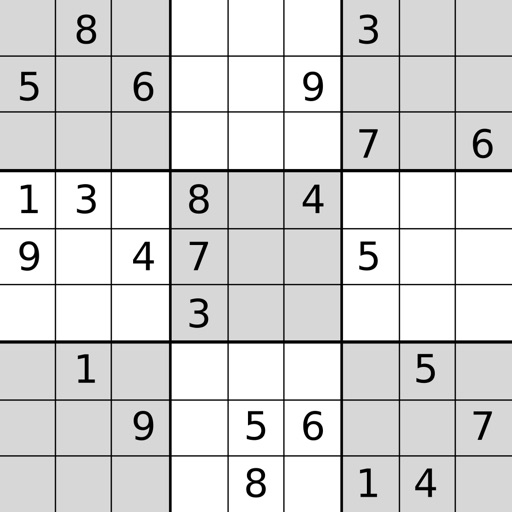
(Free) lets users play puzzles with four skill levels. Features include showing incorrect answers in red and using smart buttons. Users can track progress, undo moves, and reset puzzles. Options allow customization of game settings.
by Red Key Software Corporation★ 4.61,883 ratingsGamesFreeData updated 2026-09-08
Offers unique handcrafted puzzles in standard, symmetrical, and patterned styles. Users can select from four skill levels and choose multiple color schemes. The highlights incorrect answers in red and allows multiple notes for puzzle solving.
Solve puzzles with 1,000 unique handcrafted puzzles across four skill levels. Choose from standard, symmetrical, and patterned styles. Adjust color schemes. View incorrect answers in red. Track times.
Solve puzzles by filling 9×9 grids with digits 1-9. Choose from four difficulty levels. Store notes for possible numbers. Use hints to fill missing digits. Complete daily challenges. Clear grids when all numbers are placed.
Play a logic puzzle game by placing blocks on a 9x9 grid. Fill rows, columns, or squares to clear the board. Drag pieces to the grid and avoid running out of space. Track high scores and challenge yourself with addictive brain training .
The app offers 1000 unique handcrafted puzzles with four skill levels. All puzzles are solvable without guessing, and users can select multiple color schemes and challenge a friend.
Solve sudoku puzzles with varying difficulty levels. Input numbers manually or use pencil marks. Track progress across multiple . Access hints and undo moves. Share completed puzzles via social media.
Play Sudoku to challenge your mind with a 9×9 grid. Fill rows, columns, and 3×3 sub-grids with digits 1–9. Choose from easy, medium, hard, or expert levels. Disable numbers after all instances are entered. Use note-taking and hints when needed.
The app offers endless Sudoku puzzles with five difficulty levels. Its smart hint system teaches users the logic behind each solution, improving their skills.
Play with puzzles of varying difficulty levels. Use hints, notes, and auto-check features. Complete puzzles without assistance. Track progress across multiple difficulty settings.
Solve puzzles with classic gameplay and adjustable difficulty levels. Track progress through rankings and attempt to complete puzzles without using hints. Play relaxing or challenging modes to enhance concentration and problem-solving skills.
Play with four difficulty levels and tutorial guidance. Solve puzzles using notes, undo/redo, and auto-note features. Color squares with two colors for advanced strategies. Check for errors manually or automatically.
Play a by placing pieces into a 9x9 grid. Clear lines or 3x3 boxes to remove blocks and earn points. Extend combos and streaks for higher scores. Continue until no more moves are possible.
Solve puzzles with varying difficulty levels. Select grid size and number of hints. Track progress and restart puzzles. Share completed grids via social media. Adjust themes for visual preferences.
Play puzzles with adjustable difficulty levels. Solve grids using logic and number placement. Track progress and restart puzzles. Share completed games via social media. Sync progress across devices.
Allows users to play classic puzzles with customizable boards. Features include unlimited puzzles, hints, pencil marks, and auto-save. Users can track progress, adjust difficulty, and manage game sessions.
Solve puzzles with five difficulty levels: Easy, Medium, Hard, Expert, and Master. Customize grid size and pencil marks. Track progress and restart puzzles. Play offline without internet connection.