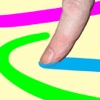
The app allows users to create art using photos or backgrounds. The app includes various tools for painting and enhancing images with overlays and stamps.
by Scott Squires★ 3.5197 ratingsEntertainment$0.99Data updated 2026-09-09
By numbers allows users to select and color pre-drawn images. Tap to fill in numbered sections with chosen colors. Access new daily pictures and save completed artwork. Share creations via social media.
Lets users adjust brightness and contrast to analyze tones in images. They can isolate light and dark areas to study shadows and highlights. Export grayscale versions for use in drawing or painting practice.
Create and share art text with customizable fonts and styles. nd send creative messages using built-in fonts. Convert images into emoji-style photos with various emoji options. Includes a for typing text in any .
Solve pixel art using numbered hints to determine filled and blank pixels. Reveal images by logically deducing correct cells. Play hundreds of with increasing difficulty. Track progress and complete challenges. Share completed artwork with others.
Create still or animated drawings that flow and evolve. Use generative brushes for natural, responsive sketching. Design fluid artwork for backgrounds or sharing. Adjust brush settings for precise control. Export drawings in various formats.
Create collages by combining photos and templates. Add text, stickers, and frames. Choose from various styles and themes. Share finished collages on social media or via email. Edit images with basic tools like cropping and brightness adjustment.
Set custom and backgrounds with high-quality images. Choose from city, nature, animal, and building themes. Edit favorites, apply filters, and save to camera roll. Supports all iPhone and iPad models in portrait and landscape orientations.
Create art with layers and animation support. Use a variety of tools for detailed design. Add background music to animations. Export videos in MP4 format. Sync projects via Google Drive. Join a community for feedback and collaboration.
Create custom charts for crafts like cross stitch, bead weaving, knitting, and pixel art. Draw dotted images and design patterns with an intuitive touch interface. Export charts for use in projects.
Create detailed artwork with realistic brushes and watercolor effects. Scale canvas up to 64 times with precise grid and pixel-level accuracy. Use over 80 brushes, erasers, smearing tools, rulers, cutters, fill tools, and color pickers.
Draw and animate shapes, words, or objects with touch or drag gestures. Create dynamic, physics-based animations with varying strokes and speed. Save or share artwork. View sample art displays.
Create and share digital art customizable brushes, unlimited colors, and layer support. Zoom, pan, and adjust brush parameters. Rotate, mirror, and undo steps. Participate in challenges like tracing or completing others' drawings.
Simulate from a swinging bucket with realistic physics. Adjust color and motion to create art. Use AR mode to project effects in real-world environments. Share artwork directly to social media.
Edit photos using masks and blend modes. Combine images with multi-exposure settings. Apply filters from other apps with adjustable intensity. Add or replace objects and textures. Create custom filters with overlays. Add watermarks or logos.