Create music with authentic piano keyboard and flexible editing tools.
The app offers a full 88 key piano keyboard for authentic musical experience. Users can record, save, and overdub compositions with flexibility in editing.
by MooCowMusic Ltd.★ 3.68 ratingsMusic$3.99Data updated 2026-09-09
Extract and isolate vocals, piano, guitar, drums, and bass from audio tracks. Separate multiple tracks for editing. Export isolated elements or mixed versions. Adjust volume levels and apply effects to individual tracks.
Create and share projects. Engage in Q&A about instruments, gear, and songwriting. Access real reviews and unbox videos from YouTubers and influencers. Communicate with musicians and creators. Collaborate on and exchange feedback.
The app offers a spiral-shaped keyboard and a chromatic piano keyboard for playing melodies and chords. It allows users to study scales, modes, and the circle of fifths, and learn solmization methods.
Explore musical instruments like piano, xylophone, and through interactive play. Listen to rhymes and songs with animal and vehicle sounds. Engage in playful modes that encourage learning and exploration.
Teach note recognition and sight reading through a musical game. Help Munchy catch blue notes to improve skills. Features include interactive gameplay, adjustable difficulty levels, and progress tracking. Syncs with music theory standards.
The app allows users to create musical instruments from sampled sounds. It can receive MIDI messages from external keyboards to play notes and transform any MIDI keyboard into desired instruments or special effects.
Practice ear with customizable exercises for chords, intervals, and scales. Track progress across different disciplines. Use a configurable for visual feedback. Access tutorials and follow guided lessons for skill development.
The app trains reading notes on all 88 keys within various key signatures. It offers customizable practice options for different skill levels and tracks user progress with informative graphs.
Play using a with adjustable sound quality. Record and save custom music. Access free lessons and practice sessions. Upgrade to remove ads and unlock full recording features. Sync with Apple Health to track practice time.
To notes in G and F clefs. Practice notes above and below the staff across six octaves. Randomly generated notes apply to any instrument. Switch clefs for varied practice. Receive feedback on missed notes. Set pace and limit octaves for beginners.
Play piano melodies by tapping on-screen keys. Access a library of preloaded songs. Follow along with visual feedback. Adjust volume and playback speed. Save progress and replay sessions. Share performances via social media.
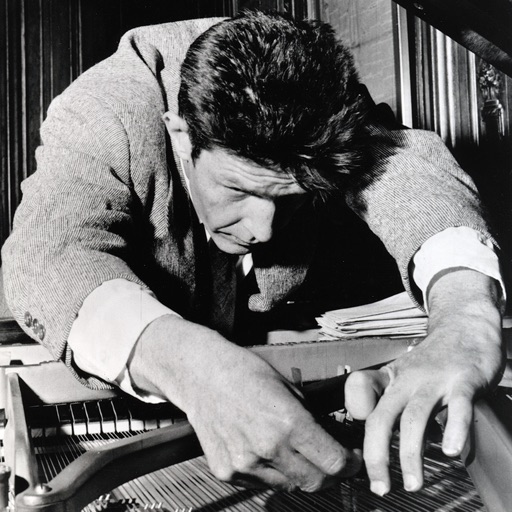
The app allows users to play the sounds of a prepared piano on their iPad. It features meticulously sampled sounds from a piano prepared with materials used by John Cage for his Sonatas and Interludes.
Children can play virtual instruments like , xylophone, trumpet, flute, violin, guitar, drums, saxophone, and accordion. They can create melodies, tap rhythms, and customize instrument sounds.