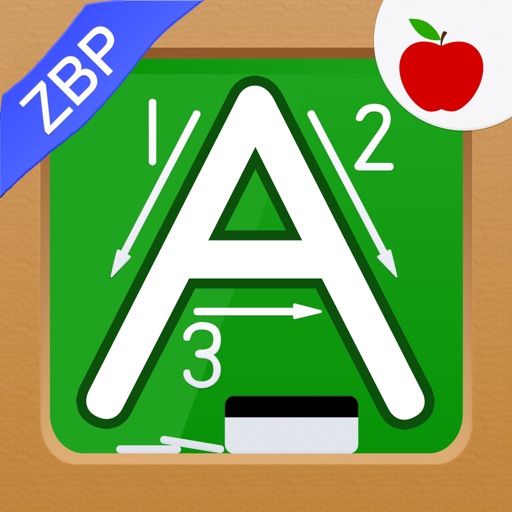
Create that pop with sound, float across the screen, and fall due to gravity. Draw letters, numbers, and shapes with touch input. Interact by touching to move and explore simple drawing features.
by Jesse Grosjean★ 3.264 ratingsEntertainment$0.99Data updated 2026-09-08
Relax with interactive stress-relief games. Tap buttons, draw with chalks, and play with wooden boxes. Listen to bamboo chimes and swish fingers in water. Solve the fifteen puzzle and interact with a Newton's cradle.
Tap to pop colorful bubbles and release stress with realistic sound effects. Choose from various designs and patterns. Complete challenges and progress through levels. Customize settings for difficulty and sound. Share achievements with friends.
Pop bubbles to clear levels by matching three or more at once. Earn points for combos and use items by dropping multiple bubbles. Complete daily quests for rewards and spin bonuses. Play with others for enhanced fun and shared challenges.
Create drawings with a variety of colors and brushes. Select from pre-designed templates and characters. Add animations and sound effects. Save and share artwork directly.
Create hammers by custom shapes. Defeat enemies with your drawn to earn rewards. Upgrade characters to enhance abilities. Play through simple, fast-paced duels.
Create and edit drawings with over 20 colors and adjustable brush sizes. Save drawings and their creation process in a built-in gallery. Replay or resume drawings at any time. Draw on iPhone, iPad, or iPod Touch.
Create drawings using 13 like glow neon, crayon, and chalk. Draw on a color canvas or edit photos. Save drawings and animations to the built-in gallery. Record drawing sessions as videos and replay them.
Learn basic concepts like numbers and colors through interactive ABC activities and games. Includes an animated alphabet . Explore spelling exercises and games designed for young learners.
Create walls by drawing lines to protect a cat from bees. Adjust line thickness and color. Tap to remove walls. Complete levels by guiding the cat to safety. Track progress through multiple stages.
Allows children to draw using color selection, shape tools, and an eraser. It plays when drawing and includes a random color option. Users can change line thickness and save drawings.
Kids can using letters, numbers, or simple math problems to guide their coloring. Choose from a variety of coloring pages. Develop number and letter recognition through interactive activities.
Learn colors, letters, numbers, and animals through interactive games. Create drawings and puzzles. Receive feedback and track progress. Share creations with others. Sync across devices for continued learning.