Share photos, create clocks, interact with collages
Create interactive clock collages by combining 2 to 12 photos. Highlight and zoom individual images within the clock face. Share collages with friends through social media or messaging. Edit photos before adding them to a collage.
by Squarepond, LLC★ 5.05 ratingsSocial NetworkingFreeData updated 2026-09-06
Edit photos by removing objects using lasso, rubber, and restore tools. Add custom backgrounds and share edited images with friends. Cut out objects for realistic results.
Create art using AI to generate images in various styles. Combine generated artworks into collages. Edit photos with tools for adding text, removing backgrounds, and organizing multiple results. Share edited images directly.
Create collages by selecting multiple images and arranging them in different grid layouts. Add frames from a collection of 100+ designs to enhance images. Build personal stories by organizing photos and sharing them directly.
Create collages and edit photos with cropping, filters, and text. Add stickers and remove backgrounds. Edit videos, create slideshows, and design invitations. Share directly to Instagram with hashtag management.
Customize Apple with AI-generated designs based on user preferences. Select from various styles, colors, and layouts. Access a library of stock images to enhance face visuals. Share created with others.
Analyze photos to find . Compare one face against others or identify the face pairs. Zoom and move within the review scene. Share result images to social media platforms. Process data entirely offline without storing user data.
Edit photos with AI muscle enhancement, reshaping, and face retouching. Add beards and hairstyles. Remove backgrounds. Reconfigure faces with AI reface. Adjust muscles, arms, and chest. Export edited images.
Capture photos and share them privately within a closed social network. Add interactive widgets to display photos on the home screen. Manage a private gallery and update followers with new content.
Edit photos with one-tap removal and object erasing. Apply creative effects, blur tools, and adjust details. Share edited images directly or save in various formats.
Create collages by arranging and editing images. Crop and resize photos, add text, and adjust layouts. Make 3D rotating videos, set backgrounds, add text, edit audio, and reuse clips. Share finished projects directly.
Edit photos with cropping, lighting adjustments, color correction, and professional filters. Design greeting cards and collages with customizable frames and layouts. Add personalized messages, stickers, and text to create unique invitations.
Create flipped collages by selecting images from the library and applying predefined styles. Share collages directly to social media with one tap. Update the for improved performance and enhanced user experience.
Create collages by combining multiple photos using various frame patterns and grid layouts. Apply over 1100 design styles to individual images or collages. Share finished creations directly from the .
Create collages by combining multiple photos with patterns and grid layouts. Add stickers, text, and cool fonts. Edit photos with cropping and adjustments. Share finished collages directly.
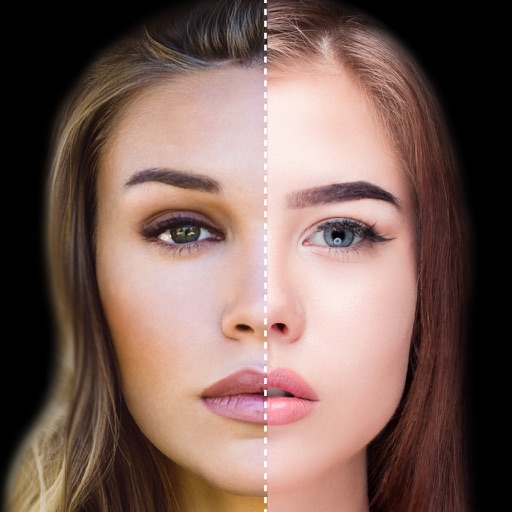
Find lookalikes using AI. Create collages with gradient face-to-face effects. Share with hashtag #looklikeme. Transform photos into art with AI styles. Upscale images for better clarity. No photo storage.
Allows trimming, cutting, and adding effects to videos. Collage lets arrange multiple photos into grids or layouts. Slideshow creates timed photo presentations with music. Photo offers filters, cropping, and text tools.
Edit photos by adding customizable beards and mustaches. Choose from various styles and positions. Resize or rotate elements using multitouch. Save edited images and share them with others.
Edit photos with filters, cropping, and adjustment tools. Create collages using templates, grids, and layouts. Add text, stickers, and . Share edited photos directly.
Create collages using photos from Camera Roll, Photo Stream, or Dropbox. Choose from pre-designed templates and artwork. Edit images with cropping, filters, and adjustments. Export and print finished layouts for physical display.