Create custom labels using 870 symbols, 60+ frame designs, and personal images. Edit templates or start from scratch. Share labels directly or print them using compatible printers.
Create and print custom labels with drag-and-drop editing, AI-powered design suggestions, and a library of templates. Adjust text, colors, and layouts. Export labels for printing or share digitally.
Edit photos with background removal, object elimination, and AI-style transfer. Add text, stickers, and custom fonts. Generate AI art, create flyers, and apply effects. Export in various formats and share directly.
Create collages by selecting images from the library. Automatically generate and arrange layouts without manual cropping or resizing. Shuffle image order as needed before finalizing the .
Print labels, barcodes, and addresses. Connect via Bluetooth. Choose from multiple sizes. Support PDF and image files. Access an online store for label templates and customization.
Edit photos using advanced from pro filmmakers and bloggers. Apply filters, adjust colors, and enhance details with one-tap edits. Share edited photos directly to Instagram, Twitter, Facebook, Pinterest, Snapchat, and TikTok.
Take and ID photos using a mobile device. Automatically adjust images to meet country-specific requirements. Manually crop and resize photos for precise formatting. Save and share edited photos directly.
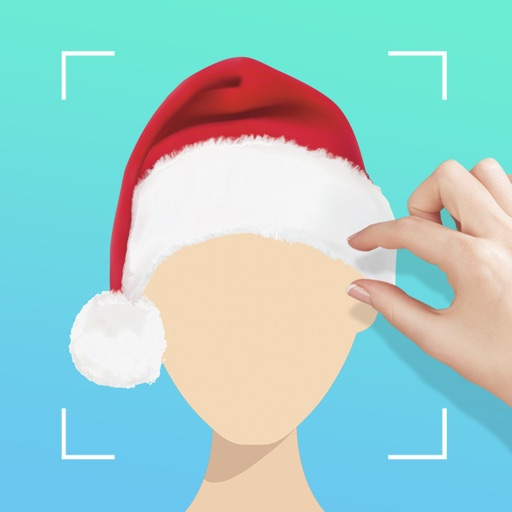
Add , Beards, Christmas Trees, custom text, and Claus to photos. Adjust hat size and placement. Use zoom for detailed edits. Erase parts of . Export edited photos.
And print documents and photos using the built-in scanner. Share or print files directly from the device. Supports printing with over 10,000 models including HP, Canon, Brother, and Epson.
Create collages from selected photos automatically. Print, email, text, and share photos directly. Support for social media platforms. Connect wirelessly to cameras and printers. No sign-up required. All features available for free.
Upload photos of rooms, buildings, or gardens to generate AI-powered concepts. Choose styles for instant room makeovers. View realistic 3D visualizations of proposed changes. Adjust layouts and color schemes within the .
Create and print high-quality photo products from smartphone images. Choose from 5 sizes for prints and 24-piece photocard sets. Add personalized wallet photos with dual-image layouts. Adjust print settings for optimal smartphone photo quality.
Edit photos and videos with filters, effects, and frames. Crop, adjust brightness and contrast, and add text. Share edited content directly with friends.
Edit photos with background removal, erasing, and custom text or graphic addition. Change backgrounds and enhance images with AI tools. Export and share edited photos directly.
Edit photos and videos with nostalgia-inspired filters, textures, and light leaks. Add frames and date stamps. Adjust exposure, contrast, and vibrance. Export edits in various formats and share directly.
Crop and rotate images into various shapes. Add text, arrows, and shapes for annotations. Pixelate sections or draw freehand. Share edited photos directly with contacts.
Print documents from photo gallery, iCloud files, and web pages. Print contact info on A4 paper. Access printing settings and select paper size. Share printed documents via email or messaging.
Print documents and photos wirelessly from iPhone or Mac. Connect to over 10,000 printers. Select print settings including layout and paper size. Share files via cloud or email. Print directly from apps or files. Manage print jobs and monitor status.
Order photos as , greeting cards, canvas , or gifts. Select print sizes and paper types. Upload images directly from phone. Print at CVS, Walgreens, or Duane Reade. Track order status and pickup location. Customize designs with text and images.