Apps Like Split Screen Window: Multiple for iPhone and iPad
For multitasking
- allows users to run apps simultaneously. Users can the into windows for tasks like watching videos, chatting, or browsing. Favorites let users save preferred pages. Unlimited splits enable flexible multitasking.
by ANNA KOSHEL★ 4.251 ratingsSocial NetworkingFreeData updated 2026-09-06
Cast device to TV for streaming content, photos, and videos. Stream live camera feed and web videos. Access apps and channels on TV. Draw, doodle, and teach on the big . Present content in meetings.
Split videos into shorter clips with customizable lengths and instant preview. Remove audio, capture high-quality stills from videos, and reduce resolution to minimize file size. Share clips directly in top quality.
Share photos by clicking twice. Split images into square sections that fit together on social media. Choose from multiple layouts. Upload and edit photos with intuitive guidance. Adjust brightness, contrast, and saturation. Add text and filters.
Cast content to Windows, Mac, Smart TV, Apple TV, or a web browser. Receive from other devices. Support landscape and portrait modes with ratio preservation. Enable real-time with low latency and sync audio-video. Mirror multiple phones to one PC.
Play local and online videos with adjustable speed from 0.5 to 4.0. Support for multiple video and audio formats. Switch audio and subtitle tracks. Enable background playback. Take screenshots during playback. Transfer files via Wi-Fi or iTunes.
The app offers full-screen browsing with unlimited multi-windows and tabs for multitasking. It supports private browsing, font size adjustment, and opening various links within the browser.
Arthur Eduardo Skaetta Alvarez Desenvolvimento de Software LTDA.
Split videos into parts to upload
Split videos into smaller clips to upload to or Status. Edit clips with trimming and cropping. Save split videos to device storage. Share clips directly to social media platforms. Process videos offline without data transmission.
Mirror phone screens to computer or Smart TV with audio. Control phone from another device or computer using mouse and keyboard. Stream up to four devices simultaneously. Share videos, photos, and documents remotely.
Record activity with full , custom, and front camera modes. Capture audio from device or microphone. Save recordings in high quality. Share videos directly or export to cloud storage.
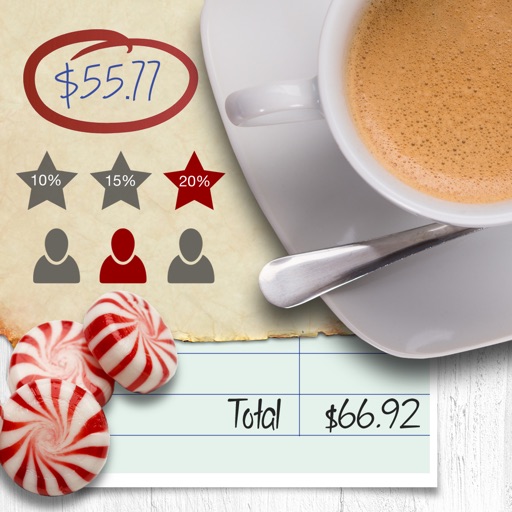
Calculate tips and bills by entering the total amount, selecting a tip percentage, and choosing the number of people. Shake the device to reset the calculation.
Calculate tips as you type. Split bills with friends. Use 3D Touch shortcuts. Support split screen on iPad. Available in four languages. Works with Apple Watch and iPhone X. Simple design with minimal features.
Edit videos with cutting, trimming, joining, and splitting tools. Create slideshows with media and transitions. Export in HD formats and share directly. Add text, stickers, and effects. Sync with cloud storage for backups.
Allows users to open two apps side by side for . Users can drag and resize windows, switch between apps, and manage multiple tasks simultaneously. It supports dual screens on iPhone and iPad for efficient workflow.
Split expenses by uploading receipts and assigning costs to friends. Update item claims and request payments directly. Track expenses, balances, and shared locations. Share photos of receipts and update splits in real time.
FP performs basic arithmetic, currency conversions, and unit conversions. Users can switch between dark and light modes. Split-screen mode is available on iPad.
Display multiple videos or images on a single in customizable grid layouts. Play videos with sliding controls for playback, volume, looping, and speed adjustments. Record and save videos. Lock to prevent accidental touches.
Mirror device screens to smart TVs via Wi-Fi. Share content from iPhone, iPad, or Apple Watch. Stream web videos, movies, live streams, and local media. Connect to IPTV services. Display content in real time with high quality.
Calculate with a dual-line display showing input and result simultaneously. Use percentage and backspace functions. Choose from 18 color themes. Enter multi-line equations. Automatically format scientific expressions. Access via Split View.