Learn to identify musical intervals, chords, scales, and rhythms by listening. Practice ten exercises including interval and chord recognition, melody and rhythm dictation, and chord progressions.
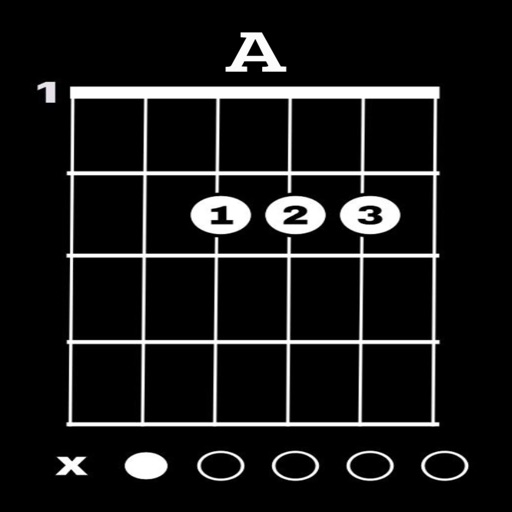
View and learn diagrams for all standard chords. Strum chords to hear their sound or individual strings for note recognition. Switch between left-handed and right-handed displays. Choose from standard, baritone, or D tunings.
Learn music with animated on staff notation, clefs, note and rest durations, time signatures, and interval identification. Track scale degrees, key signatures, and interval inversions.
Explore chord diagrams for , mandola, and mandocello. Select chord root, type, and variation to view all possible voicings across 11 fretboard positions. Access over 8000 through the interface.
The app displays over 600 guitar chords, including majors, minors, 7ths, augmented, and diminished chords. Users can strum chords to hear their sound or individual strings to hear each note, with options for right or left-handed display.
Create and edit progressions with inversions, sus2, sus4, 7th, and 9th chords. Play chords as piano or synth or send MIDI to macOS. Use phone as MIDI keyboard for macOS. Practice reading musical notation.
Learn with strummable fingerings for all keys and types. Choose from multiple tunings for soprano, tenor, concert, and baritone ukuleles. Access expert chord suggestions and complete chord diagrams.
Explore and scales with a dictionary featuring user libraries and reverse mode. Search by keys or MIDI input. Build chord progressions with common patterns. Use the circle of 5ths for navigation.
And find chords based on the circle of fifths. Learn scales and chord progressions. Identify compatible chords within a key. Set and track musical goals. Sync with instruments and export progressions.
Create melodies using the of fifths and fourths. Choose key and scale mode. Generate for selected key. Play via built-in player or arpeggio by holding chord button. Access scale notes individually with play button.
Explore , , and progressions with interactive virtual and staff notation. Play ascending, descending, and harmonically. Adjust root notes and inversions. Compose songs by arranging and .