Fill out quality monitoring forms with customizable templates. Input data manually or via barcode scan. Save and export reports in PDF format. Share results with team members via email or cloud storage. Set reminders for form completion.
by ISS Palvelut Oy★ 0.00 ratingsBusinessFreeData updated 2026-09-06
Capture and share real-time project updates with live imagery and step-by-step progress tracking. Upload and organize documents, notes, and photos. Send updates to clients and team members.
Create and customize signatures for documents. Upload files from storage or photo gallery. Scan and sign PDFs and images. Apply signatures to multiple documents. Export signed files and share via email or messaging.
Convert photos to PDF files by selecting images, entering a document name, and initiating the conversion. Share generated PDFs via email, cloud storage, or other apps.
Crew can access real-time passenger and catering information. Share documents with crew members. Receive flight updates and briefing materials. Fill in forms and submit data directly through the .
Scan paper documents into digital format using mobile device camera. Save as multipage PDF or JPEG. Edit documents, add e-signature, and recognize text in scanned files. Share documents directly via email or cloud services.
Manage field operations with real-time data updates and team collaboration. Capture and map assets accurately. Access offline data storage. Share and update information across platforms. Track work progress with site-specific insights.
Create and send professional invoices and estimates. Add company details, products, and customer information once to save templates. Edit details, add line items, and apply discounts. Export invoices in PDF or printable format.
View schedule via calendar, list, or routed map. Track sales estimates, orders, time holds, and customer follow-ups. Export weekly production and sales commissions. Intelligent forms auto-fill customer and details; only complete necessary fields.
Scan documents, convert images to PDF, and store files securely. Edit scanned pages, add notes, and share documents via email or cloud services. Organize files into folders and access them offline.
Edit PDF documents with text and image tools. Draw on PDFs using Apple Pencil. Convert images to text and scan OCR. Collaborate in real-time with others. Fill and sign forms. Compress files and protect documents with passwords.
The app automates mobile workflows by enabling remote workers to collect data and access company information on mobile devices. It facilitates automatic sharing of results with back-office systems, cloud services, and people.
Backup to PDF, CSV, XLSX, VCF, TXT, and HTML formats. Export entire address book in one go. Choose specific to save. Share backup files via email or cloud storage. View contact details in list or grid view. Edit contact information before exporting.
Create and customize resumes using an intuitive interface. Select from professionally designed templates. Add text, formatting, and layout options. Export in PDF or Word formats. Share directly via email or social media.
Create call sheets and automate time cards. Fill out W4 and W9 forms. Schedule work days and manage crew members. Receive direct deposits. Track payroll and manage production tasks in one platform.
Scan documents using the device camera. Convert scanned images into PDF files. Save and organize documents on the phone. Share scanned files via email or cloud services. Adjust brightness and contrast for clearer scans.
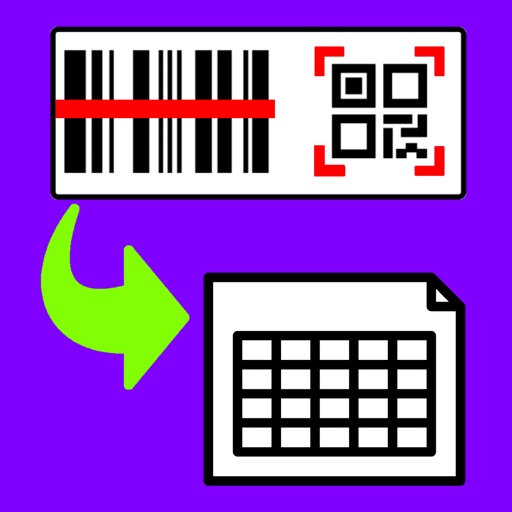
Barcodes to create spreadsheets for inventory, attendance, or event tracking. Email CSV or Excel XML files from iOS devices. Share data to Google Drive and open in Google Sheets.
Edit PDF text and images, annotate with highlights and comments, and sign documents digitally. Fill out forms, adjust layouts, and export edited files. Share and save documents directly from the .
Scan documents with automatic edge detection and cropping. Adjust brightness and contrast for clearer images. Save scans in high-resolution formats and share them directly via email or messaging.
Create and manage form templates for data collection. Capture field data on mobile devices. Map and analyze results using location intelligence. Monitor inspections and manage operations through a user-friendly interface.
Calculate closing costs and generate seller net sheets and buyer estimates with preloaded city/county data. Input transactions to calculate totals. Export results as PDF or Excel. Sync with cloud storage.