Apps Like Compress It! PDF Compressor for iPhone and iPad
PDFs and save space
PDF documents by selecting a compression level, importing files from device or other apps, and exporting compressed results. Supports secure compression without additional features or complexity.
by DIGISET LLC★ 4.9324 ratingsUtilitiesFreeData updated 2026-09-06
Edit PDFs with intuitive tools for text, image, and page adjustments. Convert to PDF from various formats. Compress and organize documents. View and annotate PDFs. Create PDFs from scans or images. Share and export edited .
Compress and optimize photos and videos to reduce file sizes by 80% or more. Sort and organize media files. Save compressed versions directly to the device. Maintain high quality during compression.
From laptop to iPhone or iPad via Wi-Fi and browser without cable. Cut, copy, compress, and manage directly on the device. Open various file types including documents, images, and videos.
Scan documents using mobile camera with automatic focus and lighting adjustment. Crop and rotate scanned pages. Save as PDF or image files. Share scans via email or messaging apps. Adjust contrast and brightness for clear images.
And PDF files by selecting pages or ranges. Extract individual pages for easy sharing. Combine multiple documents into one. Save and share edited PDFs directly from the .
File Slimmer identifies and filters duplicate media files, retaining the versions. Users can mark files for retention and clean up duplicates with one click.
Organize photos by removing duplicates, blurry, and oversized images. Upload photos to cloud storage for access. Compress multiple images to free up space. Extract text from pictures for quick recognition.
Scan documents, notes, and images to create PDFs. Merge multiple PDFs into one. Compress files to reduce size. Split large PDFs into smaller sections. Share and store PDFs efficiently.
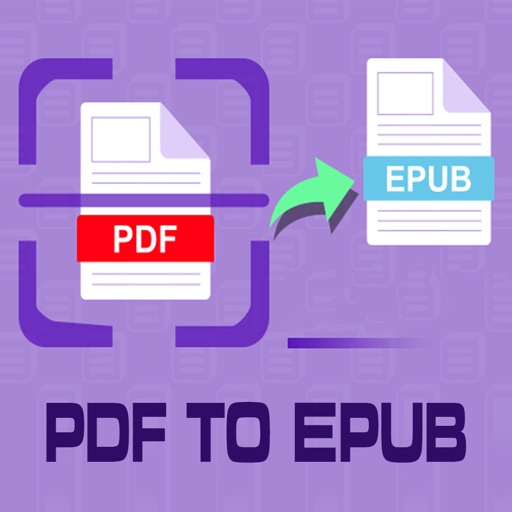
Convert PDF files to format for mobile reading. Edit text, adjust fonts, and customize margins. Export as and share or save to device. Supports iPad, iPhone, and ebook readers.
Helps manage by removing duplicate photos, unnecessary screenshots, and similar images. Users can swipe to delete or keep files, organize media, and clean hidden data to improve device performance.
Photos, merge contacts, compress videos, free space
AI Photo automatically detects and removes duplicate, blurry, or low-quality photos. Organizes images by events or time. Swipe to delete unwanted duplicates. Compress videos and free up space with one tap.
Compress and edit videos with batch processing, trimming, cropping, splitting, merging, and rotating. Choose H.264 or HEVC codecs with resolution options. Adjust frame rates for 240 FPS videos. Save space with efficient compression.
Videos to reduce file size and save storage space. Adjust resolution and bitrate settings. Export compressed videos in various formats. Share directly to social media or messaging apps.
View and annotate PDFs with highlighting and note-taking features. Add signatures and bookmarks to documents. Convert image files to PDF. Organize and manage files in one interface. Share and export documents in various formats.