

Apps Like PDF Converter © for iPhone and iPad
Convert, edit, and manage PDFs
Convert documents, images, and web pages to PDF with a single tap. Edit text, add annotations, and merge files within the . Export PDFs in various formats and share them directly.
PDF Converter © screenshots
Ranked alternatives
Showing 201–220 of 1,000 ranked alternatives.
Photos to PDF Converter!
Haris Tayyab
Convert documents to PDF instantly
Convert Word, Excel, PPTX, and JPG files to PDF. Scan documents and into PDF format. Add signatures to prevent edits. Lock PDFs to restrict access. Edit and adjust file content before exporting.


Tiff Viewer
磊 马
View and convert files to PDF
View and open files via Wi-Fi or from other apps. Convert files to PDF format. Export PDF files. Supports universal linking for quick access.

All Document Reader Pro
BRINDER SINGH
View, clean, and convert documents offline
View, manage, clean, and convert documents, archives, spreadsheets, media files, and PDFs. Organize files offline. Open and edit text within PDFs. Convert files between formats. Securely store and access files without cloud upload.

Photos To PDF Converter: JPEG
Haris Tayyab
Convert to PDF instantly
Convert images to PDF documents. Share, edit, print, merge, import, split, and lock PDF files. Scan images from the camera and save to gallery. Supports doc, txt, and ppt formats.

All Document Reader & Viewer
Sagar Rudani
Read documents in multiple formats
Read and view documents in multiple formats including PDF, DOC, PPT, TXT, Excel, RTF, and others. Open files with one tap. Share documents directly. Access a simple interface for easy navigation and quick file viewing.

Image to PDF Converter:Convert
Guangzhou Zhumeng Information Technology Co., Ltd.
Convert images to PDFs offline
Convert photos, Word documents, and JPG images into PDFs. Edit resolution settings for quality control. Merge multiple images into one PDF. Save and share converted files directly.


TotalReader for iPad - The BEST eBook reader for epub, fb2, pdf, djvu, mobi, rtf, txt, chm, cbz, cbr
LTD DevelSoftware
Read books and documents in any format
Read books and documents in multiple formats including .fb2, .epub, .mobi, .chm, .djvu, .pdf, .doc, .xls, .ppt, .pages, .numbers, .key, .cbr, .cbz, and .cbt. Support styles, chapters, tables, links, and footnotes. Adjust text size and font.

PDF Converter: JPG・Photo・Image
Appslead Ltd
Convert files between PDF and Word formats
Convert documents between PDF and Word, Excel, JPG, PNG, HEIC, PPT, and EPUB formats. Upload files to convert them. Save and share converted documents directly.

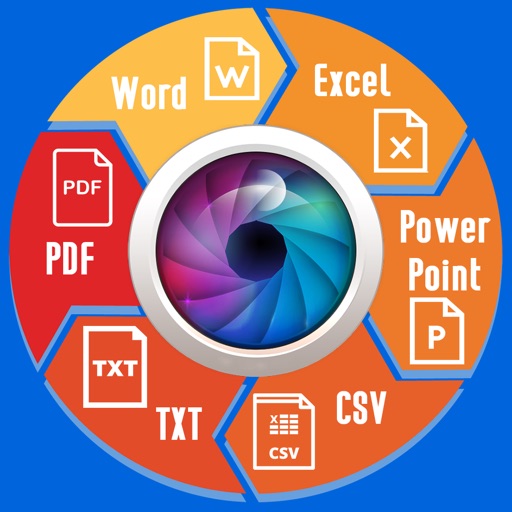
Image to Document Converter
Tu Phan
Convert images to text and edit
Extract text from scanned images and convert to Word, Excel, or PDF. Edit extracted content in Word or Excel. Convert tables and format from images to Excel or Word. Save as text files or PDFs. No registration required for conversions.

Wi-Fiカードリーダー
Panasonic Holdings Corporation
Backup and view SD card files.
The app allows users to back up photos, videos, and address book data from a smartphone to an SD card inserted into the Panasonic BN-SDWBP3. It also enables viewing and playing files stored on the SD card using the smartphone.


PDFForge - PDF Scanner & Edit
MefjuDev LLC
Scan, , sign, and extract PDFs
Create and manage PDF documents by scanning, editing, and signing files. Extract text from PDFs and import various file types. Reorder, rotate, duplicate, or delete pages. Scan multiple pages at once with smart edge detection.

Doc Scanner: Scan PDF
SHELL INFRASTRUCTURE PRIVATE LIMITED
Scan and translate documents instantly
Scan documents, photos, and cards to create clear images or PDFs. Translate text into multiple languages. Edit scans, convert between file formats like PDF and Word. Save, email, or share scanned files. Extract text using OCR for easy data retrieval.

PDF to Word
建伟 徐
Convert and edit documents
Convert PDF documents to editable files while preserving original formatting and layout. Edit or reuse content directly. Open converted files in compatible mobile office apps. No internet required. Process files entirely on device.
How we rank alternatives
Apps are ranked by functional similarity, category fit, rating confidence, and popularity.