Create professional designs for clubs, bars, and restaurants with pre-designed templates. Customize colors, text, and images. Export as PDF or image files. Share designs directly via social media or email.
by freddy baez★ 4.26 ratingsGraphics & DesignFreeData updated 2026-09-06
Create videos using thousands of fashion templates. Apply filters, add text, and customize effects. Share finished videos directly to social media. Access exclusive templates with VIP membership. Edit selfies to match popular styles and trends.
Generate stickers from text or uploaded images using AI. Convert words or faces into custom . Edit styles and colors. Share stickers directly in chats or via social media.
Create AI-generated product images, videos, and posters for social media ads. Upload product photos to generate high-quality ads. Customize designs with text, colors, and layouts. Export and share ads directly to social platforms.
Create and organize design concepts, sketches, and moodboards in one place. Import digital or physical files, edit moodboards with a tap, and build line sheets. Manage ideas and access inspiration anytime.
Edit videos by applying RGB color adjustments in Cut Pro. Access pre-set templates for color correction. Apply adjustments to entire timelines via a dedicated layer. Save and reuse custom settings.
Create holiday-themed designs with 57 OpenType for personal and commercial use. Apply to text in any project. Supports international characters in many . Export designs in standard format.
Create posts using AI by speaking, typing, or pasting content. Generate professional designs instantly. Share directly to social media platforms. Edit text, images, and layout within the . Export posts in multiple formats for offline use.
Create videos from text using AI-generated content. Add background music and visual effects. Edit clips, trim scenes, and adjust timing. Export videos in various formats and share directly.
Design and visualize tattoos with AI-driven tools. Choose from various styles and themes or create custom designs. Virtually try on tattoos on body parts. Adjust colors, sizes, and positions. Export designs for consultation or tattooing.
Convert images to PDFs by selecting and arranging photos. Adjust layout, add text, and save as PDF. Share documents directly or export to email. Edit and organize pages without internet connection.
Create personalized designs using AI technology. Upload a hand image to generate custom patterns. Choose from various styles and themes. Save and share designs. Adjust colors and details for customization.
Identify colors by pointing camera or selecting images. Create custom palettes and save codes. Compare colors side by side. Share swatches via social media or email. Adjust hue, saturation, and brightness manually.
Edit photos with presets and organize them by categories and folders. Adjust colors using PRO color grading tools. Add textures, effects, and blur options. Design social media posts with templates. Export edited images in various formats.
Customize smartwatch faces with digital and analog designs. Choose from a variety of styles to match personal preferences. Adjust colors, fonts, and layouts. Sync with compatible devices to apply changes instantly.
Create vector graphics with diffusion gradient technology for smooth color transitions. Apply soft shading to shapes and adjust colors without losing detail. Rescale and reshape designs while maintaining quality. Export artwork in various formats.
Create and customize interior designs using AI-generated suggestions. Upload photos of rooms to generate ideas. Choose colors, furniture, and layouts. Adjust lighting and materials. Export designs as images or share via social media.
Capture photos using customizable templates like rule of thirds and diagonals. Access composition tips to improve framing. Adjust exposure, contrast, and color balance in editing mode. Share finished images directly to social media platforms.
Edit photos with filters, frames, and collage templates. Add effects and select from various photo types. Create collages by choosing images and applying pre-designed layouts. Export and share the final edited photo.
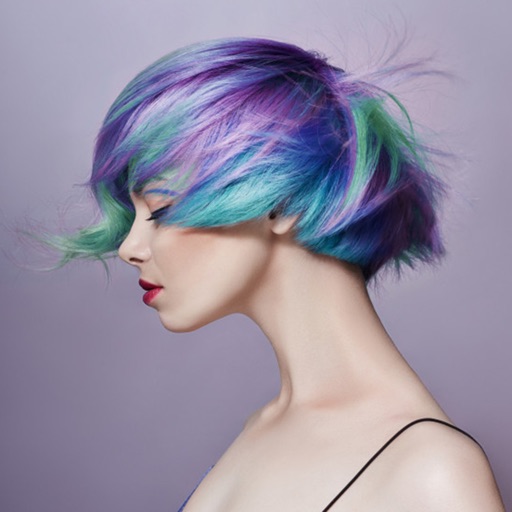
Edit photos by applying various hairstyles including long, short, straight, curly, and special styles. Add different colors and adjust hairstyles to fit any face. Save and share edited images directly.
Edit photos with AI-powered tools for background removal and image enhancement. Adjust colors, brightness, and contrast. Add text, stickers, and filters. Export in various formats and share directly.