Modify audio signals using four adjustable bands with sum or multiply modes. Apply resonant filtering for brightening, deepening, or distorting sounds. Adjust filter intensity and mode for varying audio effects.
by AudioThing Ltd.★ 5.033 ratingsMusicFreeData updated 2026-09-06
Turn your iPhone or iPod Touch into a musical instrument. Select chords and strum strings with fingers to create arpeggiated sounds. Edit and share songs, use MIDI support, and transpose notes with in- purchase.
Process audio with real-time spectral dynamics processing. Split audio streams into frequency bands. Adjust compression and expansion settings. Test with random sound samples. Distribute embedded units through a host application.
Create bass-heavy sounds with a monophonic synthesizer. Adjust frequency ranges and apply mid/side processing for stereo imaging. Control low-end thickness and shape sub-bass tones. Export audio files and integrate with digital audio workstations.
The app allows users to create a musician profile highlighting skills, instruments, influences, and interests. Users can explore profiles of other musicians and bands, connect with them, and share information through in-app messaging.
Play music files from iTunes library and device storage. Adjust quality using the AQS-XI sound engine. Customize sound with equalizer, virtual surround, and cross fader.
Adjust audio frequencies with a parametric equalizer. Add a filter band for precise control. Adjust gain and Q settings. Apply preset EQ profiles. Save and recall settings. Export adjustments for use in audio projects.
Create and manipulate audio using a polyphonic synthesizer with customizable . Play virtual keys to generate sounds. Use as an AUv3 plugin for music production. Adjust parameters to modify tone and effects.
Create visual artworks synced with using Equalizer, Mandala, Shapes, Fluids, Psychedelic, and Dreaming modes. Choose backgrounds and apply image effects to customize visualizations.
Clear speakers with custom wave tones at adjustable frequencies. Monitor ambient noise levels in real time. Adjust audio settings to enhance call clarity and music quality.
Create and manipulate sounds using a 16-voice polyphonic . Visualize and navigate sound design through X, Y, and Z axes. Adjust wavetables and vectors for dynamic sound shaping. Save and recall presets for custom sound configurations.
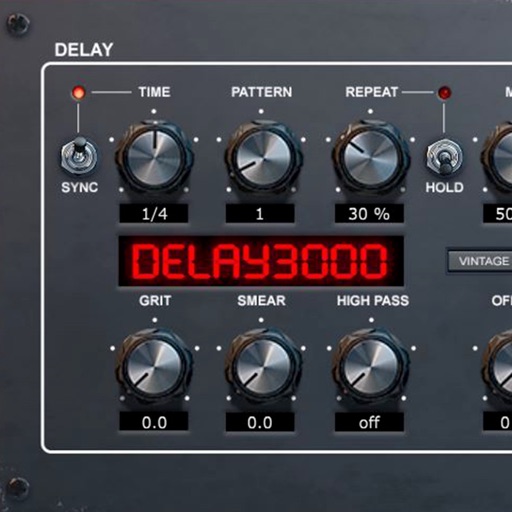
Delay processing plugin with 16 stereo multitap patterns and repetition hold function. Includes modulation circuit, ducking, and filter sections. Syncs to DAW and offers delay effects. Adjusts delay time and feedback parameters.
Generates instrument sounds using physical string modeling based on Karplus-Strong theory. Users can adjust waveform inputs, control delay lines, and modify filters to create various instrument tones.
Adjust audio frequency response with a wide range of tonal adjustments. Apply classic British settings. Customize sound through flexible equalization controls. Access demo version with limited free play time.
Adjust for 4 adjustable frequency bands. bass focus in the center channel and maintain spacious mid-range imaging. Solo each band for individual auditioning.
Create and manipulate synth sounds with oscillators, filters, and envelopes. Adjust parameters for tone shaping and modulation. Save and load presets. Export audio files and integrate with digital audio workstations.
The app creates playable instruments from any sound. It features four real-time manipulation slivers with independent controls and an automation engine.