Modify audio signals using four adjustable bands with sum or multiply modes. Apply resonant filtering for brightening, deepening, or distorting sounds. Adjust filter intensity and mode for varying audio effects.
by AudioThing Ltd.★ 5.033 ratingsMusicFreeData updated 2026-09-06
Explore a collection of ambient soundscapes and instrumental tracks. Adjust playback speed and volume. Save favorite tracks to a personal library. Share music via social media or messaging apps.
Adjust audio tracks with up to 12 configurable frequency bands. Apply two compressor curves per band. Add upward and downward saturation. Use external side chain inputs for dynamic control.
Create and manipulate sounds using additive synthesis. Choose up to four sound sources and apply predefined envelopes. Adjust macro parameters for precise control. Edit and morph sounds to build complex sequences or rhythms.
Adjust audio with up to 24 bands of EQ. Use dynamic EQ and linear phase processing. Access spectral EQ and character modes. Edit in real-time with EQ Sketch. Control multiple 4 instances from one interface.
Practice music with customizable metronomes and tempo control. Adjust beats per minute, set rhythms, and track progress. Supports multiple instruments and includes visual cues for timing. Sync with devices for consistent practice sessions.
Analyze audio signals with features including triggering, time and voltage per division, and measurement cursors. Generate signals with adjustable frequency and waveform.
Create and manipulate sound with three independent synthesizers. Adjust pitch from 8–20,000 Hz. Slide or snap notes to scales with customizable glide rates. Set and edit individual notes for precise musical control.
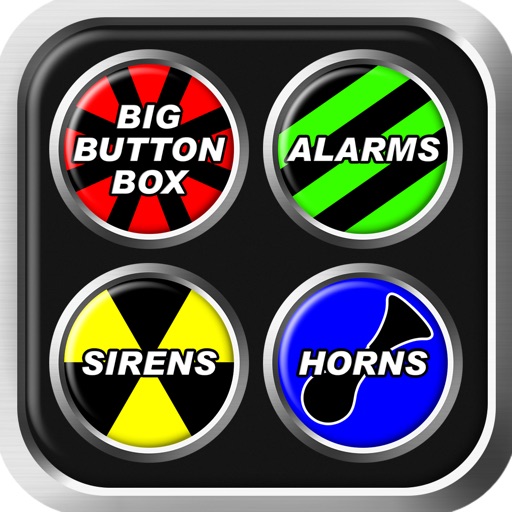
Big Button Box lets users select from over 250 sounds including alarms, , and . Play sounds in different modes such as Big Button or Air Drum. Adjust pitch using the Pitch Shift feature. Share sounds via social media or messaging.
Adjust equalizer settings with 7 bands per source and 10 x 31 bands for output. Align audio timing with precision up to 20 ms. Configure crossover filters with adjustable frequency ranges and slopes. Choose filter types and phase shifts per channel.
Create and save multi-track music projects on iPad, iPhone, or Mac. Record and import audio tracks, browse samples with previews, apply effects, and use high-quality synthesizers and drum kits. Edit, mix, and render complete songs.
ToneBoosters displays real-time , spectrum, and goniometer visuals. It processes microphone input for audio analysis. Supports AUv3 plugin format for integration with compatible host apps.
Files with cutting, copying, pasting, trimming, fading, and silence tools. Apply sound effects like pitch, reverb, delay, and adjust EQ for professional tuning. Record voice or and save in various formats.
Create and produce dance music with a powerful wavetable sound source. Use intuitive controls to shape sounds, layer effects, and sequence beats. Export tracks in multiple formats and share directly.
Record and process audio with real-time microphone filtering and playback. Apply vintage tape delay effects, adjust filters, and use tap patterns. Access unlimited modulation options and integrate with AUv3-compatible host apps for plugin use.
Adjust audio with 12-bit resolution and customizable bandwidth for varying sampling frequencies. Apply a 6th-order low-pass Butterworth filter. Choose stereo or mono operation. Support AUv3 and Inter- Audio for integration.
The app processes and synthesizes live voice for music creation. It offers tools like vocoders, auto pitch, and harmonizing pitch shift for diverse vocal effects and soundscapes.