Create and with touchable waveforms and real-time loop building. Slice and rearrange sounds across genres. voice or other sounds to develop musical ideas. Export and share finished tracks.
Simulate a Hammond Organ B3 with two manuals and a pedalboard. Adjust drawbars for upper and lower manuals and pedalboard. Use a physical modeling engine with 91 tonewheels. Apply rotary speaker effects and tube overdrive.
Create and produce dance music with a powerful wavetable sound source. Use intuitive controls to shape sounds, layer effects, and sequence beats. Export tracks in multiple formats and share directly.
Udio tones with adjustable frequency, amplitude, and waveform selection. Choose from sine, square, sawtooth, and triangle waveforms. Test audio equipment, tune instruments, or use for sound therapy. Control settings through an intuitive interface.
Create and manipulate sound using a finger-drawn wavetable sequencer. Adjust waveform shapes, control modulation, and layer multiple sounds. Save and share custom presets. Sync with MIDI devices and integrate with DAWs.
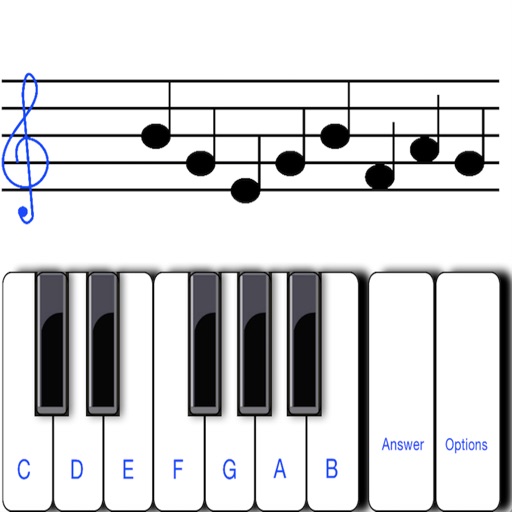
To sight notes in G and F clefs. Practice notes across six octaves, including those above and below the staff. Randomly generated notes apply to any instrument. Switch clefs for varied practice. Beginners can limit octaves and set their pace.
Create and manipulate sound with three independent synthesizers. Adjust pitch from 8–20,000 Hz. Slide or snap notes to scales with customizable glide rates. Set and edit individual notes for precise musical control.
The app provides 88 keys for playing music on the iPhone and iPad. It features 91 instruments, including organs, pianos, guitars, and synths, with options for duet mode and key labels.
Tune instruments with precision and frequency meter
Tune instruments like guitar, piano, and violin with a . Generate tones and adjust frequencies for voice training. Display tuning systems including equal temperament and Pythagorean.
Create and play music with virtual instruments including pianos, basses, guitars, drums, and synthesizers. Use Chord Pads to build harmonies. Record performances and export audio files. Share creations directly from the .
Create and manipulate sound using two oscillators and one noise generator. Adjust frequencies in Hz or MIDI notes. Apply lowpass filters individually to each . Use panning for spatial effects.
Create and customize sounds using a wavetable synth with an intuitive interface. Access 300 factory presets. Adjust waveforms, modulation, and effects. Save and recall custom patches. Limit to 8 voice polyphony.
Create and edit sheet with tools. Add lyrics and playback compositions. Export scores in various formats. View and organize sheets for practice or performance. Learn theory through interactive features.
Convert or bass input into polyphonic synth sounds in real time. Adjust waveform, filter, and modulation parameters. Save and recall presets. Connect to audio interfaces and DAWs for recording and live performance.
Create and edit music with advanced synthesizer features. Load and manipulate sound samples. Adjust filters, envelopes, and modulation. Save and export audio files. Use multiple skins for interface customization.
Analyze frequencies with a real-time display. Adjust and visualize sound levels across different frequency ranges. Export analysis data and compare signals for accuracy. Calibrate equipment for optimal performance.
Practice with exercises on key signatures, intervals, and chords. Identify notes in treble and mezzo-soprano clefs. Train sight reading with varying difficulty levels. Learn about triads, sevenths, and extended chords.