
Bravia Controller - Sony TV
YONGXING JIN
Control your TV with your iPhone
Control TV with power, volume, channel, and arrow keys. Access home, return, mute, and option functions. Use on-screen keyboard for input. Connect via local Wi-Fi network.

Connect your iOS device to a Smart
TV with a touchpad for navigating menus and launching channels. Automatically detects Smart TV on the same Wi-Fi network. Simplifies with a clean interface and direct channel access.
Showing 161–180 of 1,000 ranked alternatives.
YONGXING JIN
Control your TV with your iPhone
Control TV with power, volume, channel, and arrow keys. Access home, return, mute, and option functions. Use on-screen keyboard for input. Connect via local Wi-Fi network.


Oz Shabbatth
Quick access to your
Save your last for quick access. Launch instantly without installation. Use fast touch pad and keyboard for navigation. Features a clean, user-friendly interface for easy .

AlgoTwist Ltd
Multiple TVs from one
Smart TVs with a single . Navigate menus, adjust volume, switch inputs, launch apps, and type using a phone keyboard. Manage multiple TVs from one interface. Requires same Wi-Fi network for connection. Supports LG and other major TV brands.
Progressive Technology FZE
Control AuraHD device from iPhone
The app allows users to control their AuraHD device from an iPhone, iPod, or iPad. It offers different button layouts and includes a full-size keyboard and touchpad for internet surfing and social networking.

欣 骆
Control your Roku device remotely
Control Roku device remotely via Wi-Fi. Navigate channels, adjust volume, and manage playback. Access keyboard for text input. View and control screen mirroring sessions. Manage playback settings and system menus.
SECURE SOFT LTD.
Control your TV with your phone
Control smart TVs remotely via phone. Automatically detect devices on the same Wi-Fi network. Support major brand Smart TVs. Access all essential functions including power, volume, channel navigation, and input switching.


Remote Control TV LLC
Apps with built-in keyboard
Devices remotely to manage apps and channels. Use a built-in keyboard for searching and browsing. Navigate with advanced features. Access all apps and manage multiple devices with a premium subscription.

MOBILESOURCE CORPORATION
Devices, manage content, access settings
TV functions such as power, volume, and channel navigation. Adjust input sources and mute audio. Access streaming services and apps directly from the interface. Sync with TCL, , Hisense, or Insignia TVs.

LAMINAR RESEARCH LLC
Your TV with one
Your Smart TV remotely with this universal TV assistant . Connect to your device via local network, switch between devices, or disconnect easily. View device status and receive alerts if permissions are denied.

iDec Apps S.L.
Your TV with your phone
TV with a smartphone, replacing physical remotes. Adjust volume, change channels, and navigate menus. Manage multiple devices including streaming boxes and sound systems. Customize layouts and save frequently used buttons.

Alexey Siginur
Control your LG TV remotely
Control LG WebOS and Netcast TVs with a . Use touch, navigation, and number pads for input. Adjust volume and mute. Navigate with back, exit, and OK buttons. Support full voice control and physical button emulation.

Rosario Keebler
Stream content, playback, manage channels
Your TV or media player from an iOS device. Adjust channels, manage playback, and navigate menus remotely. Access a customizable interface for seamless media interaction. Sync with supported devices for real-time .

Karima Ouazad
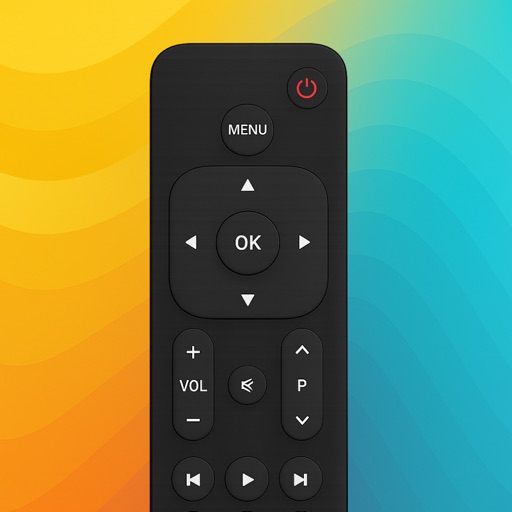
Connect your iPhone to your TV
Television functions, launch apps, and navigate menus from an iPhone. Connect to the same WiFi network for instant pairing. Discover and pair with compatible TVs automatically without additional hardware.

Ihor Bilous
TV apps and adjust volume
TV functions via smartphone without a physical . Change channels, navigate menus, and manage launches. Adjust volume, pause, and rewind content. Connect to TV over Wi-Fi on the same network.
Pham Ngoc Hanh
Your TV from anywhere
Your TV with a phone that acts as a . Adjust volume, change channels, and navigate menus. Compatible with Samsung, Roku, LG, Sony, FireTV, AndroidTV, Vizio, and Hisense. Connect via Wi-Fi to operate the TV from anywhere in the home.
Angela Garrett
TV and media with your device
TV functions like volume and channel navigation. Cast media to compatible devices. Manage multiple TV brands through a unified interface. Adjust settings and access essential features directly from an iPhone or iPad.
Apps are ranked by functional similarity, category fit, rating confidence, and popularity.