Apps Like RoomPlan - Interior 3D Scanner for iPhone and iPad
Scan rooms, create 3D models, edit layouts
Create and edit 3D models of rooms using a rear-facing camera. Scan spaces to generate detailed 3D models. View, save, and export models to basic file formats. Limit free tier to five models.
by Heliogram Labs, LLC★ 4.181 ratingsUtilitiesFreeData updated 2026-09-06
Scan documents using iPhone or iPad camera to create clean PDFs. Add signatures and export files. Share via email, print, or save to cloud. Organize and manage scanned documents in one .
Take photos of rooms to generate design ideas. Use AI to suggest color schemes, furniture arrangements, and decor. Edit images to visualize changes. Save and share design concepts. Adjust lighting and materials virtually.
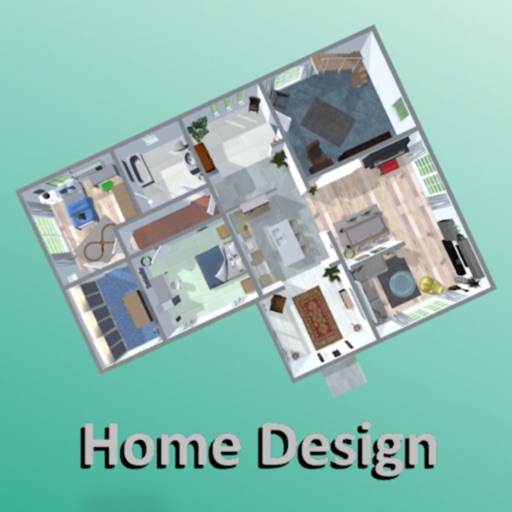
Create 3D plans and furnish rooms with customizable layouts. Generate high-resolution images for projects. Use first-person mode to navigate virtual spaces. Share realistic 3D visuals with clients or partners.
Create 3D models using photogrammetry and export as high-quality USDZ or OBJ files. Place 3D objects in real-world scenes to generate videos with spatial and temporal data. Share the resulting videos with others.
View live video from compatible cloud cameras on mobile devices. Access real-time footage via wireless or 3G connections. Support for specified camera models and iOS 6.1 or later.
Convert images and scanned documents into editable . Recognize printed , Excel tables, and PDFs. Support batch scanning and translation. Edit, share, and export to formats like EPUB, PDF, DOCX, and XLSX. Manage extracted efficiently.
Documents using device camera. Edit scans with rotation, color adjustments, and annotations. Add signatures and notes. Extract text with OCR. Summarize documents with AI. Share or save files directly.
The app allows users to manage and edit Core Data Models on their iPhone or iPad. It can create new models, import existing ones from iTunes and Dropbox, and export them to iCloud.
Access key databases and detailed catalogues for key identification. Watch video tutorials and follow step-by-step guides for key cutting. Identify required accessories and view interactive animations on compatible machines.
Access multiple AI models for conversations, writing, research, coding, and problem-solving. Switch between ChatGPT, Gemini, Llama, DeepSeek, Perplexity, and Grok. Generate text, answer questions, and execute tasks using different AI engines.
Scan documents, photos, receipts, and notes by capturing images with your device. Crop, rotate, and enhance scanned content. Save files in PDF or image formats. Share scans via email or messaging apps.
Create and manage PDF documents by scanning, editing, and signing files. Extract text from PDFs and import various file types. Reorder, rotate, duplicate, or delete pages. Scan multiple pages at once with smart edge detection.
Lets users run open language models on Mac, iPad, and iPhone. Chat offline without internet access. Store or delete chat history locally. Interact with chatbots privately without data sharing.
Create detailed floor plans using 3D measuring tools. Measure objects or rooms by taking photos or using the screen. Leverage AR to visualize dimensions and spatial relationships. Export plans and share them directly.
AI helps users generate text, brainstorm ideas, and create images using AI models. It offers multiple assistants, pre-designed prompts, and image generation tools.
The app extracts colors from photos or camera snapshots to create palettes. It displays colors in HEX, RGB, HSL, and HSB, and allows users to copy codes or export palettes in various file formats for design projects.