Drag and puzzle pieces onto a grid to merge sets of two or more same-colored pieces. Clear merged pieces to free space and progress through levels. Earn higher scores by strategically merging and clearing blocks.
Select instrumental tracks from a high-quality beats catalog. Record your verse, mix voice with effects like autotune or reverb. Share the final track with friends.
Practice musical and chord recognition with customizable exercises. Select difficulty levels from beginner to advanced. Track progress and receive recommendations for targeted skill development. Sync with Apple Health to monitor practice sessions.
Record and compose music with 12 tracks for sound loops. Dub tracks in real time without stopping. Use reverb, filter, volume, pan, and pitch effects. Export recordings in audio format.
Learn through interactive that teach matching, color recognition, and music. Create and print drawings. Use audio effects and background music. Play on iPhone, iPad, or iPod. Designed for children aged 3 and up.
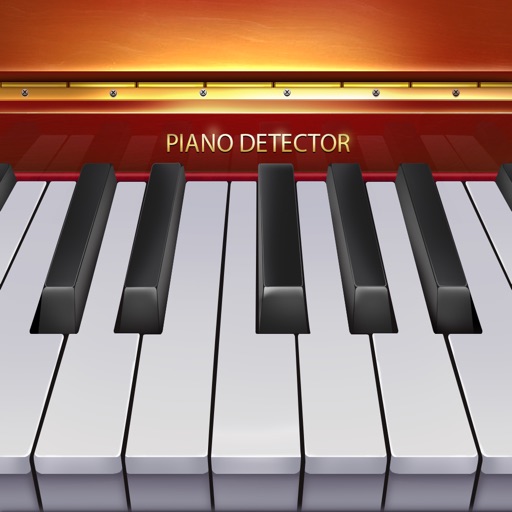
The app offers a full 88-key piano experience with realistic sound. It supports multi-touch for chord play and allows users to resize keys to fit their fingers.
Edit audio files with waveform visualization. Change playback and pitch independently. Record and save modified audio. Separate stems to isolate vocals, guitars, or drums. Create backing tracks or practice isolated instruments.
Play with a graphic equalizer, network streaming, and cloud access. Apply sound effects like Crystalizer and AM3D Audio Enhancer. Use visualization plugins for audio effects. Stream and manage files directly.
Edit videos by applying custom such as echo, male/female, reverb, and robotic. Add virtual sound like rain or thunder. Record new audio or select from the camera roll. Share edited videos to social media apps.
Transform in real time using adjustable presets and sound engine. Change to baby, tenor, robot, choir, animals, or instruments. Apply effects like AutoPitch, vocoders, and percussions. Record and share transformations.
Create music by mixing vocals, bass, and instruments with drums. Apply professional effects and use loops to build mixes. Record music sessions and share creations.
Record vocals by importing songs from the music library and tapping record. Apply effects like Delay, Reverb, Filters, EQ, and Compressor to enhance audio. Export and share the final recording.
Turn songs into mashups by merging tracks and auto-matching BPM and key. Remix audio by editing, slicing, and arranging sections. Swap vocals using AI to replace voices with famous artists. Export and share customized mixes directly.
View and play sheet music and tablature files in GP3-8 and PowerTab formats. Save and organize custom riffs and chord sequences. Export tabs to single-track NotePad. Share music directly from the .
Drag and puzzle pieces onto a grid to merge sets of two or more matching colors. Clear merged pieces to free space and increase your score. Compete on global leaderboards. Customize themes for different visual styles.
Convert files to and play them simultaneously. Highlight piano notes and in real time. Adjust playback speed. Access over 50 classical piano pieces by Beethoven, Mozart, and Chopin. Import custom files from the internet.