
Apps Like Top Four - Lock Screen Widgets for iPhone and iPad
Customize and tap to act
Customize with text, emojis, or symbols. Add up to to display under the time. Tap to perform actions like making calls, toggling HomeKit devices, or opening apps.
Top Four - Lock Screen Widgets screenshots
Ranked alternatives
Showing 301–320 of 1,000 ranked alternatives.

Nutshell: Widgets for Notion
向伟 陈
Manage tasks with -like lists
Manage tasks and pages with customizable lists and filters. Assign lists to bottom tabs for quick access. Create and edit pages directly. Add customizable for quick information viewing.

PaperCal
Johan Burgler
Manage tasks and events with a calendar
Manage tasks and events with a paper-style calendar. Switch between multiple views and orientations. Customize with over 20 themes. Add and organize events. Set reminders and track progress. Sync across devices.

WebWatch: Website Monitor
Damian Troncoso
Web pages and get alerts
Tracks changes in the background with minimal battery use. Notify users of relevant updates such as job postings or price drops. Display site statuses via home screen widgets and manually check sites directly from the widget.

Color Notes With Lock & To Do
Zipo Apps Ltd.
Write , create to-do lists, track dates
Create labels to categorize information. Build to-do lists and set reminders. Sync calendar events and add widgets for quick access. Edit and organize text, images, and attachments. Set passwords to sensitive content.

Simple Clocks: Clock Widgets
Joseph Vedda
Add to your home screen
Add to your home screen with customizable options. Choose from 76 , including 32 free ones. Purchase Pro for additional . Display time in 12 or 24-hour format. Supports iOS 14 and above.

Widgets, Themes & Wallpapers
Appenvision Ltd
Customize home screen with widgets
Customize your home screen with interchangeable and widgets. Add lock screen widgets for quick access to apps. Personalize your device to reflect your style while improving usability.

Photo Widget․
TAPUNIVERSE LLC
Create collections and add widgets to
Create unlimited widgets and collections. Add favorite photos to widgets and configure them to display specific collections. Reframe photos and include optional date and text in widgets.

Schooly: School Schedule Maker
ARTEFACT INC.
Plan, track, and organize tasks
Manage schedules and timetables with support for multiple calendars. Color-code classes for easy identification. Track to-dos, assignments, and exams with deadline reminders. Calculate attendance rates and record attendance entries.


ART Springtrap : 4k Mods
OMAR DAHMOUNI
Customize home and lock screens with fanart
Customize home and lock screens with 4K fanart. Browse and set wallpapers. Organize art collections. Share favorite images with others.

WilliWidgets
William Gallegos
Add widgets to your home and lock
Provides widgets for displaying device information like battery level, storage, and time. Users can add countdowns, favorite photos, and shortcuts. Widgets can be placed on Home Menu and Lock Screen for quick access.


Themer - Icon Maker - Widgets
Jenna Pham
Customize icons, adjust colors, create
Customize home screen icons with adjustable colors and styles. Create shortcuts to launch apps via Shortcut. Add matching that align with designs. Modify widget layouts and styles for consistent appearance.


LockSwitch: Custom Widgets
MasterMind Software LLC
Tap to trigger lock screen actions
Create lock screen to automate actions. Access system and third-party functions or build your own. Personalize with over 3,500 icons or designs. Trigger actions by tapping on the lock screen.

Fonts keyboard - for iPhones
Shaanxi yunzhishuwei technology co., Ltd
Type text directly to apps with custom
Type text directly into apps without copy-pasting. Access over 100 and symbols for Instagram, TikTok, Snapchat, WhatsApp, iMessage, and other apps. Include funny emojis, quotes, and hashtags. Use a dark theme for better visibility.
Customize Widget & Lock Screen
Salix Dijital Pazarlama Anonim Sirketi
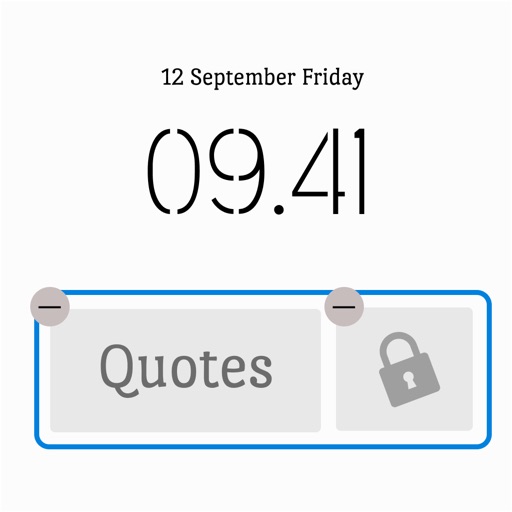
Screens with widgets and quotes
Screens with widgets, quotes, and motivational messages. Add personal photos and reminders. Set daily goals and view progress. Sync with iOS 16 for enhanced features. Share quotes with friends.

LazyBoard: Keyboard
Elsayed Hussein
Save texts with one tap away
Save and organize frequently used texts, emails, and phone numbers with one-tap access. Customize templates with dynamic variables. Sync phrases across iOS devices using iCloud. Store and manage copied text snippets.
How we rank alternatives
Apps are ranked by functional similarity, category fit, rating confidence, and popularity.