Open encrypted PDF files securely on Apple devices. View and navigate documents with page turning and zoom. Search text within files and annotate with highlights and notes. Share files via email or cloud services.
by FileOpen Systems Inc.★ 1.02 ratingsBusinessFreeData updated 2026-09-06
Faxes instantly by uploading PDFs, images, or documents. Sign and edit files directly on the device. Securely transmit faxes online without needing a physical fax machine or landline.
Messaging and collaboration through private, end-to-end encrypted groups. Verify and connect with trusted members. Share files and messages within pods. Set access controls and manage member permissions.
Share content such as videos, images, audio files, and PDFs with contacts. Customize messages and share directly via entered contact information. Connect with prospects using communication tools.
Create professional or cards using design templates. Customize text, colors, and layouts. Add logos and contact details. Export cards as PDF or image files and share via email or social media.
Manage jobs, crews, and tasks with real-time updates and communication. Assign tasks, track progress, and organize schedules. View project timelines and generate reports. Integrate with calendars and share files securely.
View detailed financial reports, upload bookkeeping receipts, and schedule client meetings. Access encrypted business documents and analytics anytime. Manage financial data securely from a single platform.
Create professional PDF resumes by answering detailed questions about skills, experience, and education. Customize formatting, add attachments, and export as PDF or Word. Share directly via email or cloud services.
Print photos, PDFs, and documents directly from iPhone, iPad, Macbook, or iMac. Connect to compatible printers via AirPrint. Share files from photo library, email, or cloud storage. Print web pages and documents wirelessly. Support for major brands.
Users can access documents through company-specific folders with permission-based access. Share folders within the organization to collaborate. View and edit files in real time with encryption and synchronization across devices.
Convert documents like Word, Excel, and PowerPoint to PDF while maintaining formatting. Also convert PDFs to editable formats such as Word, Excel, or JPEG. Export converted files and manage file storage within the .
Scan documents directly from iPhone or iPad. Import DOC/DOCX files and convert to PDFs. Sign documents on the device. Organize files into labeled categories and folders. Set passwords for secure access.
Manage jobs and documents directly from your mobile device. Edit scans with cropping, rotation, and brightness adjustments. Share files via email or cloud services. Monitor ink levels and track history. Set default printers and customize settings.
Email service with end-to-end encryption using RSA 4096-bit keys. Automatically signs and encrypts emails. Send encrypted messages to any email address. Receive encrypted emails from users or normal addresses.
Secure communication for VIP users. Enable encrypted calls and messages. Share files including documents, photos, audio, and video. Set up private, dedicated channels. Encrypt all data transfers.
Print documents, photos, and web pages directly from iOS devices. Connect to over 5000 AirPrint printers wirelessly. Manage print queues, adjust settings, and monitor printer status. Share files via cloud storage or email for remote printing.
Add stamps, signatures, or text to PDF files. Position and resize images or text. Support for password-protected PDFs. Export high-resolution PDFs at 300dpi. Save up to three files for free.
Print documents and photos directly from your phone. Scan files using the camera. Support for over 7,500 models. Adjust print settings and choose advanced options. Share scanned documents via email or cloud services.
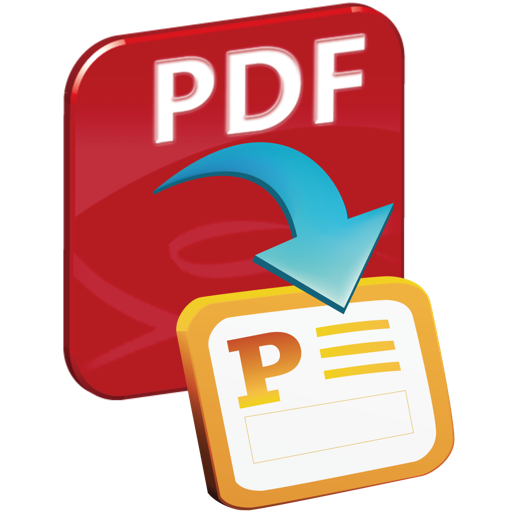
Convert PDF documents to PowerPoint presentations.
The app converts PDF documents into PowerPoint (.pptx) files, preserving original features like text and layouts. It supports batch conversions, selective page conversion, and conversion of restricted PDF files.
Create and documents rich text formatting. Add and format math formulas. Build spreadsheets and charts. Convert documents to various formats. Manage and organize files within the .