Apps Like Tie Dye Controller DIY Games for iPhone and iPad
Paint joysticks and customize controllers
Customize game controllers with tie-dye and paint options. Choose from various colors and designs to decorate joysticks. Save and share custom designs. Sync with phone case for DIY art creation.
by Farrukh Ahmad★ 4.86 ratingsGamesFreeData updated 2026-09-06
Create custom tie-dye patterns on clothing items like T-shirts and party dresses. Select colors, fold fabrics, and apply dye to unique patterns. Earn scores based on the quality of the and unlock tools to enhance creativity.
Explore a snowy with interactive activities and free roam. Dress the princess in various outfits or design custom looks. Create and customize magical pets. Unlock new scenes and items to personalize the experience.
Create and customize dolls with various outfits and accessories. Design unique looks for dolls based on customer requests. Collect limited edition designer dolls. Package finished dolls in decorative boxes.
Style avatars with 1000+ clothing items, accessories, and hairstyles. Customize makeup and create unique characters. Design stories and interact with characters. Upgrade creative skills through gameplay.
Create custom -shirts by selecting and applying colors to designs. Draw on shirt templates to personalize artwork. Save and share finished designs. Explore various tie-dye patterns and color combinations.
Create tie-dye designs using galaxy and unicorn color schemes. Apply specific tie-dye techniques like Bullseye and Classic Spiral. Add galaxy stickers to decorate dresses. Save and share custom designs.
Create custom lip designs using hearts, dots, flowers, and other objects. Apply makeup to lips with various colors and patterns. Save and share creations. Relax with calming ASMR sounds and effects. Play stress-relieving painting and makeup games.
Create drawings by combining different art styles. Divide images into sections and apply unique styles to each part. Mix and match colors and patterns to design custom artwork. Save and share completed creations.
Create tie-dye designs by selecting a shirt, folding it, placing rubber bands, and applying colors. Customize with fabric paints, glitter, rhinestones, and appliqués. Try on virtual models, save designs to a photo album, and email them.
Create personalized gamepad art using spray paint and tie-dye techniques. Select colors and patterns to design custom gamepad covers. Listen to sounds for a calming experience. Save and share finished designs.
Create and customize DIY outfits using fabric, accessories, and embellishments. Upload videos to a personal channel. Share projects with friends and receive feedback. Track progress on creative goals.
Create custom cases with 3D designs using wallpapers, stickers, and stencil artwork. Choose materials and colors to decorate covers. Save and share finished designs. Impress others with creative maker skills.
Create custom toys by selecting fabrics, colors, and accessories. Design unique shapes and add patterns. Play with toys that react to touch or sell them in auctions to earn coins. Interact with other players' toys and bid on them.
Rollic Games Oyun Yazilim ve Pazarlama Anonim Sirketi
Carve , cut shapes, polish, paint, store
Carve wooden shapes by slicing and polishing. Paint designs and store completed pieces in a personal . Compare carved items to target shapes for accuracy.
Care for a virtual pet with feeding, cleaning, and styling features. Customize appearance with accessories and colors. Play mini-games for rewards. Interact with other players through in- chat and sharing. Track progress and unlock new items.
Customize keycaps with paint brushes, stencils, and spray paint. Add colors and artwork to create personalized designs. Save and share creations directly.
Play a puzzle game by turning sponge and paint squares in various colors. Navigate through obstacles to complete levels. Adjust color schemes and solve challenges to progress.
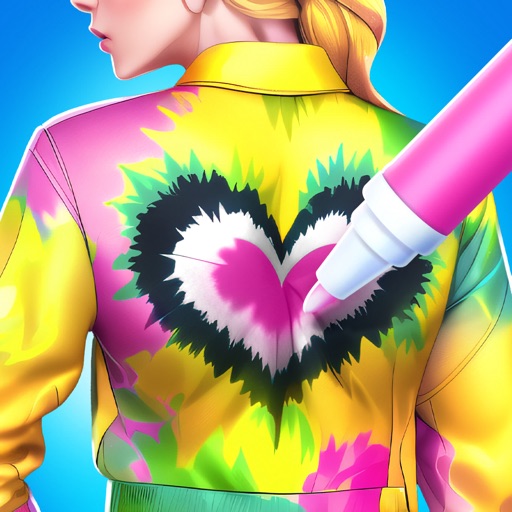
Create custom tie-dye outfits by pre-designed patterns using a color-by-number technique. Select colors, apply them to specific sections, and save or share the finished design.