Edit photos with filters, cropping, and adjustment tools. Create collages, photo posters, and text art. Add stickers and text. Repair old photos. Make -in- effects and GIFs. Share edited content to TikTok, iMessage, and Instagram.
Create sketches and drawings using built-in brushes and canvases. Trace real-world images with AR technology. Save and share artwork directly. Adjust brush size and opacity for detailed work. Import images to base drawings on.
Photos to reduce file size without quality loss. Resize images for social media, email, or web. Crop photos to adjust framing. Save and share optimized images directly.
Resize images with precise control over dimensions and quality. Adjust DPI for print or digital use. Batch process multiple files at once. Rotate images for correct orientation or creative angles. Export in various formats.
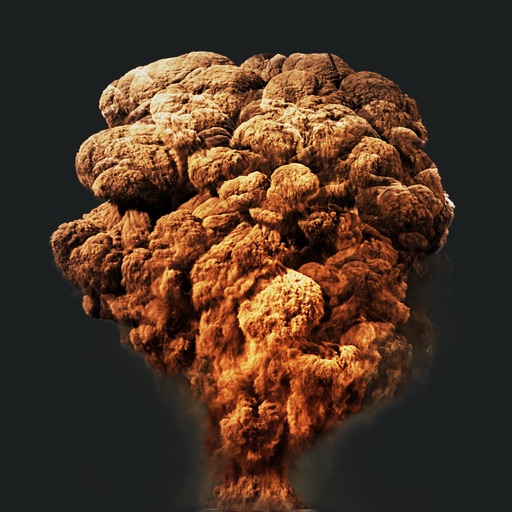
Create action scenes with realistic including fire, explosions, blasts, and muzzle flashes. Import or take a photo, then add by tapping and adjusting their position, scale, and rotation.
Create mandala paintings using vector-based tools. Zoom smoothly for precise details. Choose from various colors and brush styles. Save and share drawings directly. Adjust layer settings for customization.
The app provides 1000 unique color filters and 98 grid filters for photo editing. It allows users to record videos with filters and supports live photos.
Edit photos and videos with filters, effects, and frames. Crop, adjust brightness and contrast, and add text. Share edited content directly with friends.
Edit videos with high-quality color grading tools. Adjust brightness, contrast, saturation, and hue. Apply custom filters and fine-tune each parameter. Export videos in various formats and share directly.
Edit photos by flipping vertically or horizontally, resizing, and rotating. Adjust orientation and images for upload. Compare edited photos with originals in single mode. Batch edit multiple images at once.
Edit photos by flipping or mirroring with a finger swipe. Resize images using the same gesture. Create mirrored copies next to original photos. Save and share edited images directly.
Create collages by selecting from 1000+ layouts, grids, and templates. Add photos, adjust sizes, and apply filters. Share collages directly to social media or via email. Edit text, add stickers, and crop images within the .