Apps Like Flop: iOS 17 Screen Widgets for iPhone and iPad
Flip stress away with playful poking
Is a stress-relief where users interact with a cartoon character by poking, kissing, flipping, and feeding. Each action fills the character’s anger bar, providing visual feedback as it reacts to user input.
by SPNA s. r. o.★ 4.4315 ratingsUtilitiesFreeData updated 2026-09-06
A with iOS16 live activities and dynamic island support. Displays magnified with reading aloud. Offers lock screen and home screen widgets. Allows background color and font customization. Includes flip screen gestures and handwriting on a whiteboard.
Customize iPhone and iPad Home and Lock Screens with , live wallpapers, and icons. Create custom wallpapers, , and . Apply coordinated instantly. Add interactive and dynamic backgrounds.
Customize home and lock screens with fully editable widgets. Add elements, select data sources, apply effects, and arrange layouts. Assign widgets to screen slots for personalized information displays.
Displays time with flip, digital, and analog styles. Customize colors, fonts, and layouts. Set up to 5 alarms with custom music and adjustable snooze. Show current time and times for 6 locations across over 500 cities. Lock screen with touch gesture.
Allows users to a by tapping their device screen. It randomly lands on heads or tails. Users can choose from different types. A sticker pack is included.
Customize home screen with animated artwork, 3D wallpapers, and liquid glass themes. Add battery, weather, and calendar widgets. Adjust widget sizes and positions. Set dynamic wallpaper effects and enable depth effects.
Displays a large digital on the table. Shows in seconds on dynamic island, lock screen, and home screen. Provides full-screen view for easy reading. Includes hourly chime and reminders. Allows voice command to stop the alarm.
Automatically redirects AMP to their standard versions within Safari. Users can enable the extension via Settings, add websites to an allowlist, and view activation counts with a flip counter.
Customize iPhone home screens with widgets, , and icons. Add widgets for quick access to apps and information. Choose from various and . Replace default icons with custom designs. Organize home screen layouts with drag-and-drop functionality.
Track cards in your collection and identify missing ones. Use the camera to scan and add cards quickly. Browse complete databases of English, Japanese, and Simplified Chinese sets. View detailed collection statistics and price information.
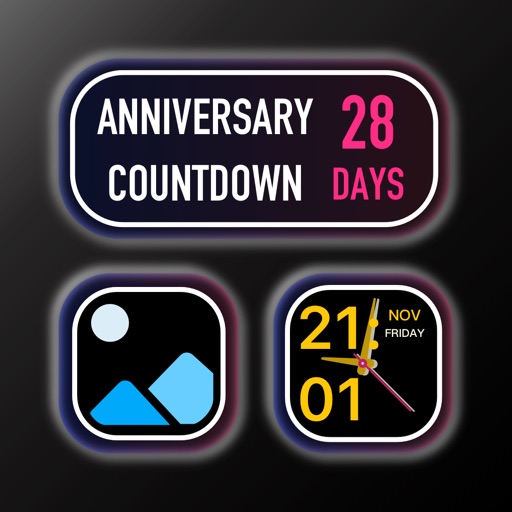
Track and count down to important life events like birthdays, anniversaries, and weddings. View all events in a calendar format. Set reminders and mark events as completed. Share event details with others.
Browse Watch Faces and to customize Apple Watch. Access Keypad for message creation, Share location instantly, and view RSS feeds. Explore Watch Gallery for .
Customize icons with hundreds of color, theme, and style options. Replace default icons with hand-made designs. Change wallpapers and to match chosen . Sync icon changes across devices.
Display with seconds and date on a dynamic island. Switch between 12 and 24-hour formats. Set smart alarms that adjust volume automatically. Use multiple themes. Access timer, stopwatch, and countdown features.
Generate numbers within a customizable range, letters, dice rolls, or selections from a list. Flip coins, choose rock-paper-scissors outcomes, or generate dates and times. Use the randomize button or spacebar to create new values.
Allows users to set countdown durations via swipe gestures. It includes timed reminder sounds and background audio options. Users can keep the screen on to monitor time progress continuously.
Step count widget syncs with Apple Health. widget displays images and slideshows. Countdown and track time and events. Memo widget adds notes. Customize fonts and backgrounds from albums. Preview changes in real time.
Customize home screen with by adding interactive elements like Control, Transparent, Text, Photo, Date & Time, , Weather, Zen, Greetings, Music, and iBoard . Display system info, weather, and calendar data in one place.