Manage tasks with unlimited folders and color-coded organization. Sort folders and view task counts. Add multiple tasks at once, check them with a tap, and automatically move completed tasks the bottom.
A with iOS16 live activities and dynamic island support. Displays magnified with reading aloud. Offers lock screen and home screen widgets. Allows background color and font customization. Includes flip screen gestures and handwriting on a whiteboard.
Display internet and data usage in Notification Center and Lock Screen. View daily usage statistics and billing cycle status through widgets. See live internet and historical usage graphs.
Track payments with custom titles, amounts, and due dates. Use visual indicators to see payment urgency. Mark payments as paid with a single tap. Set reminders for upcoming due dates. Organize payments by category or .
Create custom cards by selecting backgrounds, writing text, adjusting fonts and colors, and adding icons. Choose from pre-designed templates to share messages instantly. Save cards as wallpaper or send via social media.
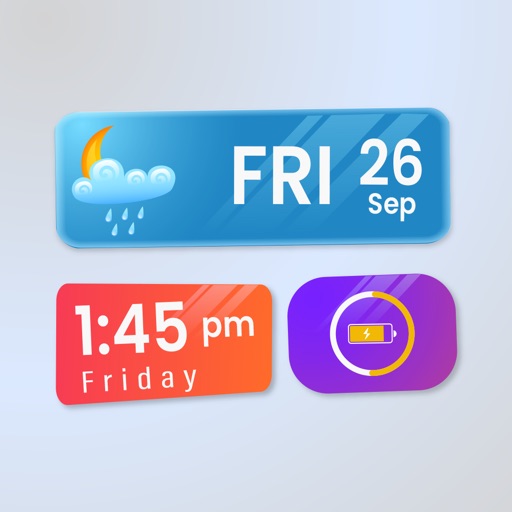
Customize lock screen with widgets for useful info. Add word of the day, daily countdown, battery status, custom text, and build custom widgets. Includes additional features for free.
Decorate home screen with photos using . Choose from small, medium, and large sizes. Add up to 50 photos per widget. Set slide durations for each . Place multiple on the home screen.
View daily weather forecasts as a single numerical "vibe" representing the day's conditions. Customize the display to show temperature, precipitation, or UV index. Set location manually or use current GPS.
View upcoming events with a week widget showing 3 to 7 days and a day widget for today or tomorrow. Scroll through multiple widget pages on the home screen. Customize widget colors, backgrounds, and event styles.
Widget King allows users to add dynamic to their home screen. Choose from sporty, racing car, cliff, bridge view, and aesthetic . come in three sizes. Users can customize and arrange on their iOS 14 home screen.
The app offers magnification up to 10x with autofocus for reading and adjustable exposure. It includes video stabilization, a dimmable torch, and the ability to magnify loaded photos.
Create unlimited folders and notes. Customize font style and size. Flip in different directions. Read notes aloud. Count characters and words. Set deadlines and reminders. Use color coding and pin notes for quick access. Add widgets for easy access.