Apps Like Remove objects and background+ for iPhone and iPad
With a tap
From photos with a single tap using AI technology. Edit backgrounds for a polished look. Retouch images and correct flaws on selfies. Adjust colors and brightness for enhanced clarity. Export edited photos in high quality.
by Dmitriy Beloglazov★ 4.4115 ratingsGraphics & DesignFreeData updated 2026-09-06
Create video stickers by removing backgrounds with one click. Make photo stickers from gallery images. Add text and GIFs to enhance stickers. Share animated stickers on , iMessage, Telegram, and other platforms.
Remove unwanted objects, people, or background elements from videos using AI. Select and track moving targets with dynamic tracking. Highlight areas with brush and outline tools. Clean fixed areas like logos or timestamps. Trim and merge segments.
Edit videos, erase objects, remove unwanted elements
Edit videos by removing objects, people, or unwanted elements. Use a magic tool to clean up clips quickly. Erase specific areas with precision and save edited videos for sharing.
Convert images and selfies into - illustrations using AI. Choose from various artistic styles including classic and modern digital art. Adjust poses and facial expressions for personalized results. Export and share the generated artwork.
Create sports graphics for football and basketball with customizable templates. Add text, images, and team logos. Export and share directly. Requires subscription for full features.
Edit photos with cartoon-style anime filters and portrait transformations. Colorize black-and-white images using AI. Remove or replace backgrounds with one tap. Enhance skin tone and texture with AI-powered retouching.
Use live camera, photos, and videos as media sources. Stream video content. Remove with chroma key and spill suppression. Erase backgrounds and skies using AI. Replace erased areas with built-in backgrounds or textures. Blur backgrounds with AI.
Multiple screenshots together to create a single long image. Select and arrange manually or let the auto- them seamlessly. Export the merged image for sharing or saving.
Remove backgrounds from photos and save as PNG or JPG formats. Edit images directly from the camera or gallery. Export transparencies for use in presentations, blogs, or stickers. No internet required.
Edit photos with advanced filters and AI-powered upscaling. Repair old images to remove blur and enhance details. Convert low-resolution photos to high-definition. Share restored photos directly from the .
Edit photos by describing desired changes, additions, or removals. Remove objects or people seamlessly. Enhance lighting and mood with cinematic, dramatic, soft, or warm settings. Adjust colors and apply filters. Save or share the final edited image.
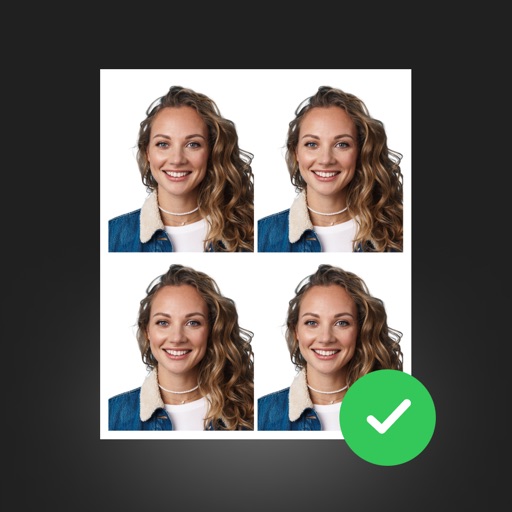
Create professional ID photos with AI tools. Automatically detect faces and remove backgrounds. Resize and crop portraits to fit official sizes. Support multiple countries' requirements. Generate printable -sized images for children and adults.
Create custom contact posters for incoming calls. Choose from 100+ trending designs or upload photos. Edit with AI-powered background removal and color customization. Set dynamic island and depth for phone interface.