Enable Bluetooth device scanning and connection. Manage notifications, read and write characteristics. Configure scan filters and match specific service UUIDs for Bluetooth devices.
by Telink Micro LLC★ 0.00 ratingsUtilitiesFreeData updated 2026-09-06
Control connected devices with real-time monitoring and remote adjustments. Manage device settings and firmware updates. Access device data and logs. Integrate with IoT ecosystems for seamless device management.
Connects to Nakamichi NQE headunit via Bluetooth. Enables smartphone control of the headunit. Allows users to activate the headunit from their smartphone.
Track vehicle mileage in real time using Bluetooth beacons. Manage multiple users with admin, power, and base access levels. Automatically synchronize mileage data across devices. Monitor vehicles and update settings remotely.
Read custom text to children using voice synthesis. Adjust speaking speed and volume. Save and organize storybooks. Share content with other devices via Bluetooth.
Locate Bluetooth devices using real-time signal tracking. View last known location and movement history on a map. See estimated distance in meters and use a radar-like meter to guide proximity.
Record audio from USB, Bluetooth, or built-in devices. Capture multiple channels simultaneously, up to 32. Choose sample rates and bit depths. Save in lossless formats like .wav or .caf. Playback all recorded channels.
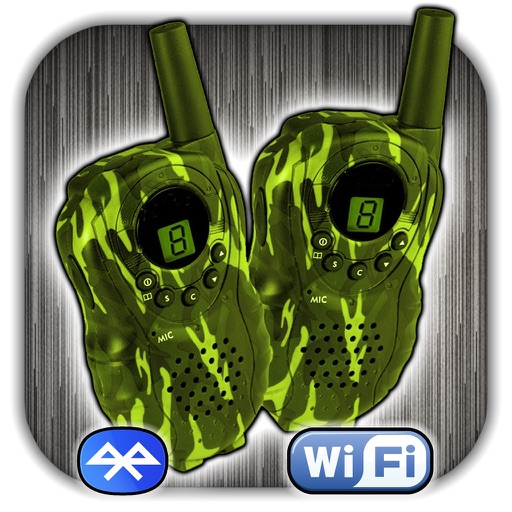
Enable real-time voice communication with other users worldwide. Choose a nickname and view the country of connected users. Communicate via cellular, Wi-Fi, or Bluetooth. No registration required.
Configure lighting zones and create preset scenes and light levels. Define sequences and set time-based or astronomical schedules. Download room configuration reports. Connect to -enabled lighting devices.
Locate lost wireless earbuds using Bluetooth tracking. View real-time signal strength and distance indicators. Receive audio alerts to help find devices. Guide users to their misplaced earphones.
Configure M2M devices remotely by adjusting notification settings, switching event formats, and enabling or disabling features. Manage system parameters and access device data through an administrative account.
Remotely control the TW10 camera via Bluetooth. Adjust settings such as focus, exposure, and zoom. Capture high-quality video and photos. Transmit footage in real-time to a connected device.
Control and monitor lighting systems using Bluetooth Low Energy Mesh. Adjust brightness and color temperature. Manage occupancy and daylight sensors. Operate load controllers and power packs. Control lighting via wall switches or mobile device.
Download engine data logs from Rotax aircraft engines via Bluetooth to a smartphone or tablet. Store logs on the Portal for analysis. Share logs with Rotax Service Centers for maintenance. Send notifications for performance issues to receive support.
Detect devices using infrared detection. Scan surroundings to locate hidden or lost devices. Identify IR-emitting objects like remotes or cameras. Find phones on silent mode by scanning 360 degrees.
Connect and monitor EV chargers and microinverter devices via Bluetooth or Wi-Fi. View real-time status of connected equipment. Remote control and manage devices through a cloud account.
Detect cameras with quick scan and LAN detection. View device lists for manual verification. Identify suspicious devices on the same network. Highlight potential locations with red dots. Prevent privacy leaks by scanning for unauthorized devices.
The app scans and validates tickets, checks in attendees, and records attendance for events configured in Doubleknot. It uses the device's camera or a Bluetooth scanner to read QR codes on tickets or membership cards.
Remote control and configure and + streaming switchers. Connect via same network to auto detect and link devices. Switch inputs with cut, fade, or transition effects. Use virtual T-bar or touch for input control.
Update system settings, manage Wi-Fi and Bluetooth connections, and control notification preferences. Access battery and storage information. Customize permissions and schedule automatic backups.