Apps Like Dear Bear - Drawing app for iPhone and iPad
Draw with fingers or Apple Pencil
Draw and create with finger or Apple Pencil. Access professional tools including layers, brushes, and materials. Import images. Edit and save drawings. Share completed artwork.
by 受杰 柯★ 4.580 ratingsProductivityFreeData updated 2026-09-06
Create digital art with customizable brushes and layers. Adjust brush settings for pressure and flow. Use Apple Pencil for precise strokes. Save and export artwork in various formats. Import images for tracing or blending.
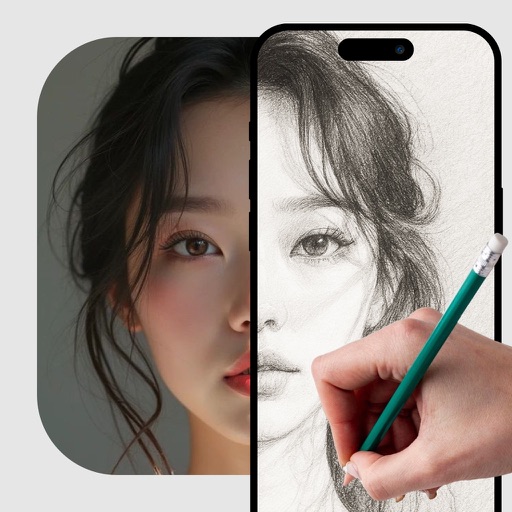
Use camera to project image outlines onto paper for tracing. Choose images from gallery or collection. Follow lines to practice sketching. Suitable for beginners, artists, and students. Improve hand-eye coordination.
Use AR to project drawings onto surfaces. and paint with customizable brushes and canvases. Save and share artwork. Adjust lighting and perspective for realistic effects. Import images to base sketches on.
And create sketches using brushes, pens, and pencils. Build layered artwork with zoom for fine details. Import and export vector images in PDF, PNG, and JPEG. Save as transparent PNG. Supports Apple Pencil for precise drawing.
Securely access favorite services with encrypted connections. Protect data on public Wi-Fi. Anonymize web activity. No user data stored. No hidden fees. Switch between multiple secure networks. Lock and manage connections remotely.
Record daily entries with text, images, and voice notes. Organize entries into notebooks and pages. Set reminders for journaling. Export entries as PDF or share via social media. Sync across devices for seamless access.
Create art with 10 brushes. Adjust brush size and color randomly. Import photos to doodle on. Add drawings to family images for customization. Save and share completed artwork.
Draw on touchscreens using finger or stylus. Change line color with buttons and adjust line width with a slider. Save and organize notes into folders. Access advanced features with an auto-renewing subscription.
Create and color images using tools and templates. Draw lines and shapes to modify pictures. Save and share completed artwork. Includes pages for coloring and creative activities.
Edit photos with filters, masking, and color adjustments. Adjust brightness, contrast, and hue. Draw on images with customizable colors. Crop, rotate, and apply blur or focus effects. Export photos to the library.
Create and customize NFTs by uploading personal files or using pre-made art. Apply AI-generated filters, add text, overlays, and stickers. Export and share NFTs directly.
Convert basic selfies into professional headshots or creative content using AI avatar technology. Choose from hundreds of style options. Edit and share photos and videos for social, dating, or professional purposes.
Manage and install on iOS devices. Preview with images, scan for security, and collect favorites. Install freely and view them in system settings. Export after installation.
Sketch directly on the screen with pressure-sensitive tools. Adjust brush size and opacity. Rotate, resize, and move drawings. Save and share artwork in various formats. Export as vector or raster files.