Apps Like PQ+ AI Photo Enhancer for iPhone and iPad
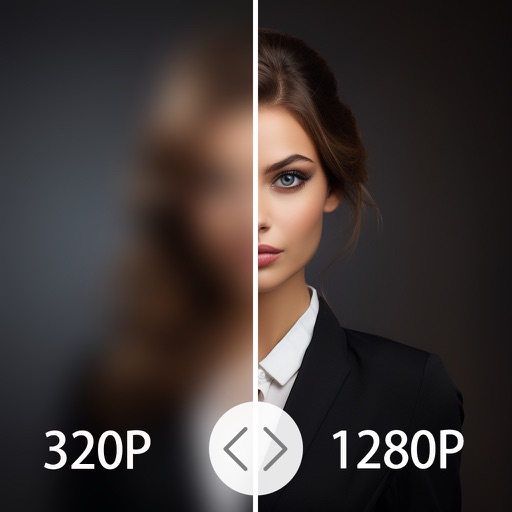
Enhance images to high resolution
Convert low-resolution images to high-resolution format. Enhance clarity of cartoon lines and pixelated images. Improve quality of old camera photos and small-resolution images. Adjust details and export enhanced images.
by Codepaint Inc.★ 4.522 ratingsGraphics & DesignFreeData updated 2026-09-06
Enhance quality by unblurring, restoring clarity, and fixing low-resolution images. Create AI-generated avatars from selfies. Apply artistic filters and adjust colors. Export edited photos in various formats and share directly.
Edit photos with sharpening, unblurring, and resolution enhancement. Convert low-res images to HD 4K. Improve color and details in old photos. Remove blemishes and brighten dark areas. Save and share edited photos in various formats.
Upscale low-resolution photos using on-device AI without uploading to the cloud. Enhance clarity, reduce grain, and improve details. Edit and save photos directly on the device without internet connection.
Edit photos and videos with like Analog Noise, Digital Noise, and VHS Noise. Apply such as Color Aberration, Datamosh, and Pixel Sorting. Save edited content as animated GIFs. Export in 4K resolution.
Edit videos with , fast , and stop effects. Adjust speed for specific frames or portions. Add music and share to social media platforms. Record live with speed control. Output in high resolution.
Record with customizable resolution and bitrate settings. Capture unlimited duration without breaks. Save recordings in high-quality formats. Share directly or export for later use.
Enhance and restore photos with one tap. Apply AI-powered colorization to black and white images. Import old photos and improve clarity and color. Subscribe for full features.
4x enhances image resolution by 200%, 400%, or 800%. It restores low-resolution faces using Face AI technology. It preserves details while enlarging images. Users can upload photos and apply restoration features.
Access high-resolution images for any use. Search and download photos from a curated collection. Save and organize images in personal collections. Share images directly from the . No watermark on downloaded images.
Adjust image and crop in inches or centimeters. multiple photos on a single sheet. Preview exact dimensions before sending. Ensure high resolution by checking PPI settings and avoiding stretching below 200-300 PPI.
Enlarge and enhance images to improve clarity and resolution. Adjust size and quality settings. Apply AI-powered sharpening and noise reduction. Save and share enhanced photos directly.
By removing fading, scratches, and yellowing. Enhance color and clarity using AI. Convert black-and-white images to color. Adjust brightness, contrast, and sharpness. Export restored in high-quality formats.
Generate professional-quality AI portraits instantly for social media, personal use, or professional purposes. Apply AI filters to transform photos into cartoon, neon, or anime styles.
In and out up to 15x while taking photos using a slider. Auto-stabilize images and videos. Adjust photo quality automatically. Use timer settings for 3, 10, or 20 seconds. Enable tap-to-shoot or swipe-to- options. Video available via in- purchase.
Compress photos and images to file . Adjust compression rate to control image quality. Save and share compressed files directly. View filename, resolution, creation date, and file details.
Convert photos to style with adjustable contrast, brightness, and sharpness. Import images from the album or capture new photos via the built-in camera. Save cartoons to the album or email them directly.
Arthur Eduardo Skaetta Alvarez Desenvolvimento de Software LTDA.
Select frames and export -res photos
Select a and scroll through frames to capture a - image. Export the selected frame in original resolution or HEIC format for smaller file size. Share the image directly from the .