Set lock and home screen wallpapers with a single tap. Choose from weekly new and exclusive designs. Apply wallpapers quickly without manual adjustments.
by The Iconfactory★ 4.8209 ratingsGraphics & DesignFreeData updated 2026-09-06
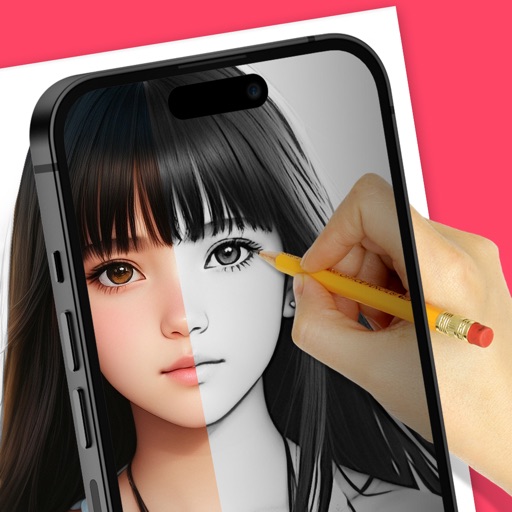
Trace images to create sketches or drawings. Adjust line thickness and brush styles. Use an eraser tool. Apply filters to images. Select from gallery or take new photos. Draw on paper with phone held 1 foot above.
Create and label albums. Crop images, apply filters, and frame photos. Add text and stickers to enhance visuals. Display customized albums in Widgets on the home screen. Widgets refresh automatically to show favorite memories.
Make yourself and others using advanced machine learning algorithms. Apply custom filters to create unique visual effects. Record and share videos with friends on social media platforms.
Add customizable widgets to your home screen. Create for quick access to apps and functions. Includes charging animation displays and other stylish designs. Subscribe for premium features with monthly updates.
Download and set high-quality wallpapers for iPhone and Apple Watch with one tap. Browse organized categories like Fantasy, Space, and Nature. Save favorites for quick access. Receive regular updates with new designs. View ads during free downloads.
Customize device wallpaper with , glitter, and -themed designs. Set exclusive curated for users. Apply themes and widgets to personalize phone interface. Save time by avoiding manual design searches.
Download and customize high-resolution . Select from a growing library of and skins. Apply chosen designs to your device's home screen. Share customized with others.
Customize home screen with time, calendar, clock, and system info . Add transparent for better wallpaper integration. Enable standby mode for . Choose from updated home screen .
Customize iPhone home screen icons with user-selected images and names. Link icons to apps or Shortcuts. Save icons to camera roll. Subscribe for additional access.
Create custom , widgets, and wallpapers for iPhone. Download and customize themes via Shortcuts . Apply themes to home screen without changing actual . Sync with iOS 14 and later versions.
Edit videos with overlays, aesthetic effects, and filters. Add sound and music. Create vlogs, social media reels, and cinematic clips. Export edited videos in various formats.
Convert text into videos with AI-driven tools. Add voiceovers, background music, and customize visuals. Edit clips, adjust timing, and export in various formats for sharing.
Real-time photos of friends and family on the home screen. Tap the widget to take new pictures and reply instantly. View updates and stay connected through shared moments.
Use live camera, photos, and videos as media sources. Stream video content. Remove with chroma key and spill suppression. Erase backgrounds and skies using AI. Replace erased areas with built-in backgrounds or textures. Blur backgrounds with AI.
Set home and lock screen featuring characters. Browse 3D and cute designs. Save, download, and share . Customize phone and tablet backgrounds with attractive, unique images.
Allows users to browse and download high-resolution images for device customization. Features include categorizing by themes like nature, abstract art, and sports. Users can set selected images as home or lock screen backgrounds.