Apply live filters in real-time while framing shots. Preview filtered images before capturing. Adjust filter intensity and blend modes. Save photos in high resolution and share directly.
The app provides manual controls for focus, exposure, and white balance, allowing for more complex photographic and video results. These adjustments can be applied to both photos and videos, offering greater creative flexibility.
Capture photos with a focus on natural colors and authentic light. Adjust exposure and white balance manually. Use -inspired profiles to enhance tones and contrast. Share images directly or export in high-quality formats.
The app offers over 200 overlays and 140 filters to enhance photos. Users can add typography and artworks from a selection of over 700 artworks and 150 fonts.
Turn your phone into a DSLR with computational photography and AI. Capture 4K Ultra HD videos and photos. Use large aperture for bokeh effects. Switch between and standard modes. Edit and share directly from the .
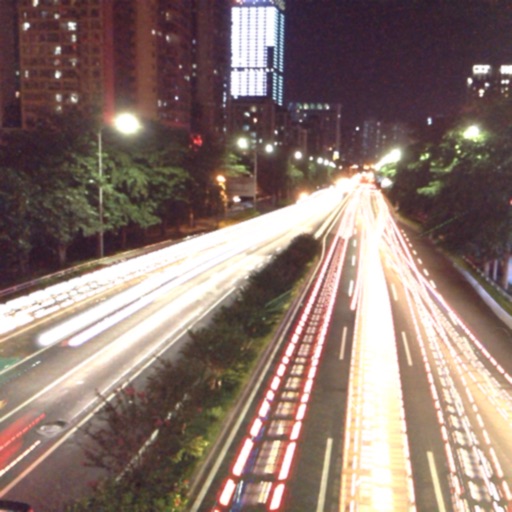
The app captures photos using slow shutter speed effects to create light trails and streams. Users can control exposure time and focus for motion blur photography.
Take photos and apply artistic filters such as cartoon, comic, , and oil painting styles in real-time. Adjust filter settings instantly. Export edited images in various formats. Share directly from the .
Capture low-light and night photos and videos with enhanced clarity and brightness. Record 4K time lapses and use Astronomy modes to capture stars and Northern Lights. Enable long exposure for detailed night scenes.
Create GIFs and videos from Live . Trim, reverse, adjust speed, and resize GIFs. Share via iMessage, Facebook Messenger, Twitter, Slack, Tumblr, and more. Select single frames for animation. Edit with 3D Touch support.
Capture spatial photos and videos in 3D on iPhone Xs and later models. Record up to 4K and HDR spatial videos on compatible devices. Use time-lapse mode for dynamic captures. Launch Spatial Camera from the lock screen on iOS 18.
Create custom bordered wallpapers from your photos
Create custom bordered wallpapers by importing photos from your library or selecting included images. Adjust border color, style, and opacity. Export wallpapers to your photo library and apply them to home or lock screens.