Upload videos via iPad data connection. Share videos through email, SMS, AirDrop, and QR code. Guests preview videos in a gallery. Link to ongoing events using RevoSpin 360 account.
by MRKJ INC★ 4.748 ratingsPhoto & VideoFreeData updated 2026-09-06
Upload photos and apply animated effects like Explode, Melt, Crush, Cake-ify, Inflate, and Squish. Select objects to modify and preview changes in real time. Share videos directly or export in various formats.
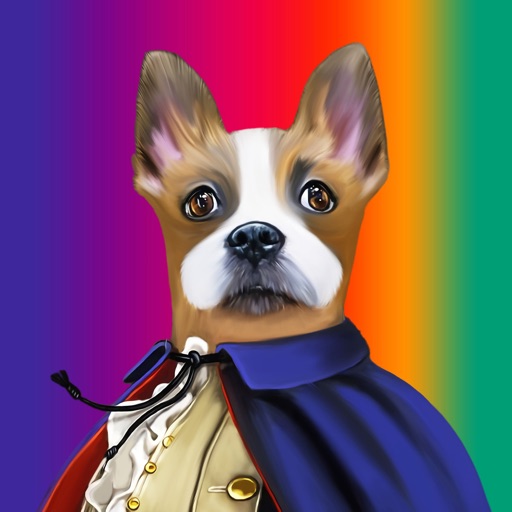
Create pet portraits by selecting a costume and uploading a photo. Preview artwork before delivery. Share with the community or use as an avatar. Subscriptions auto-renew unless disabled at least 24 hours before renewal.
Allows users to faces in photos and videos. Partial lets users customize the area. AI-powered technology enables realistic swapping. Users can edit and share -swapped content directly.
Create GIFs from videos using InstaCrop or FineCrop for precise cropping. Select time ranges and export as MPEG-4 or QuickTime. Save videos to camera roll or local storage. No watermarks or time limits.
Photos, videos, and Reels without watermarks in high quality. Copy captions optionally. Automatically open upon reposting. from private accounts you follow. No ads or trackers. No login required.
Watch videos without ads using advanced ad-blocking technology. Resize and move windows in Picture-in-Picture mode for multitasking. Stream content securely and quickly.
Create AI-generated videos and images from text prompts. Select from various art styles like anime, cinematic, and cyberpunk. Generate content instantly based on written descriptions. Receive suggested prompts to refine your creations.
Upload photos and select from a variety of templates to create viral videos, headshots, or movie scenes. Apply AI-generated swaps and customize with filters, text, and stickers. Export and share finished videos directly.
Create and with friends across Snapchat, Instagram, and WhatsApp. Add photos to a , invite friends to view and comment, and manage access settings. Sync with multiple platforms and track who has viewed each .
Share videos on WhatsApp stories with preloaded content in categories like romantic, funny, sad, and cute. Edit videos with text, stickers, and filters. Set videos based on mood or emotion. Export and share directly from the .
Create and customize albums with automatically generated milestone art and weekly stickers. Add time-lapse videos and daily customized questions. Use 1300+ default stickers and 100+ frames for -keeping. Automatically generate albums monthly.
Resize and adjust photos and videos with cropping, rotating, flipping, and position changes. Apply social media size presets, presets, and ratio presets. Add text to images and videos for messaging or captions.
Convert Photos to videos, GIFs, or single images. Transform videos Photos. Edit media with built-in tools. Share converted content directly. Create Wallpapers from photos and videos.
Using AI to create depth in photos. Upload images from the camera roll. Select or mode. Apply customizable effects including default, radius, motion, zoom, box, surface, and bokeh. Adjust settings for precise results. Export edited photos directly.
Edit videos by selecting from hundreds of advanced transition templates. Add media and to create polished edits. Share finished videos on social media without needing advanced editing skills.
Blurify allows users to specific areas of a or the entire background. They can select from various brush types and shapes to apply . Adjust the intensity using a slider. Pre-set effects can be applied for different styles.