Apps Like Background Eraser • Remove BG for iPhone and iPad
With one tap
Backgrounds from photos using AI-powered erasing. Replace with empty, custom, or selected backgrounds. Edit images directly from gallery or camera. Export edited photos for sharing or further use.
by FIODAR PUCHKOUSKI★ 4.5134 ratingsGraphics & DesignFreeData updated 2026-09-06
Edit photos with background erasing and replacement. Remove backgrounds automatically or manually using AI. Replace backgrounds with custom images, colors, gradients, or textures. Adjust and enhance images with precise editing tools.
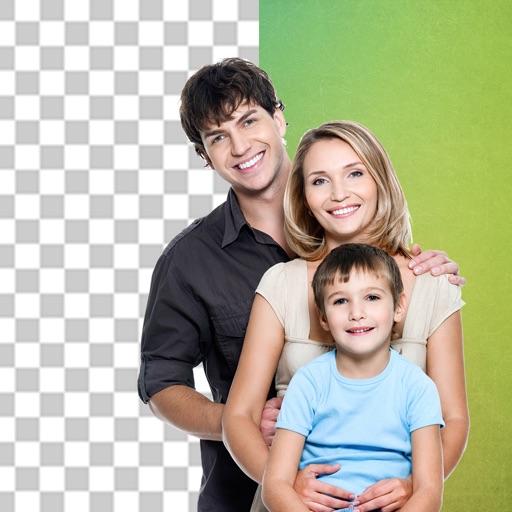
Remove backgrounds from photos to create transparent images. Highlight the subject and replace the with a new image. Adjust transparency and export the edited photo.
Backgrounds from photos using AI-powered detection. Edit portraits with specialized people recognition. backgrounds from product images with precise edge detection. Export edited images in high quality.
Remove backgrounds from photos using AI-powered erasing. Select and isolate subjects with precision. Adjust edges and refine details. Export edited images in various formats. Share directly or save to device storage.
Photos and videos using AI to expand images, remove objects, and replace or blur backgrounds. Enhance image quality, restore old photos, and create AI-generated scenes. Share edited content directly to Instagram.
Remove photo backgrounds using intelligent erasing tools. Select and eliminate specific colors or objects. Make backgrounds transparent for use in collages or stamps. Export edited images for further editing or sharing.
Unwanted and background distractions from photos using AI-powered editing. Edit images by selecting and erasing specific elements. Adjust lighting and colors for enhanced clarity. Save and share edited photos directly.
Cut photos with AI to remove backgrounds and isolate subjects. them onto new backgrounds or other images. Swap faces between photos and add missing people to family shots. Create collages by combining multiple images.
Edit images to remove backgrounds using AI. Cut out objects and replace them with new backgrounds. Adjust edges for smooth transitions. Share edited images directly.
Edit photos with cropping, resizing, and removal tools. Apply filters, adjust colors, and add text overlays. Export images in various formats and share directly to social media or online stores.
Remove backgrounds from photos using AI technology. Replace backgrounds with photos from the library, captured images, or selected colors. Adjust settings for precise edits. Export edited images directly.
Edit photos with AI-powered background removal and erasure. Refine edges manually for precise results. Enhance image quality and create professional-looking photos without design skills.
Create photo collages and composite images by combining up to 11 photos in a single layer. Remove unwanted areas with the background eraser tool. Adjust color tones to enhance image appearance. Export edited photos in various formats.
Edit photos with advanced filters, lighting adjustments, and blur. Add text, stickers, and effects. Crop, rotate, and enhance details. Export in various formats and share directly.
Photo allows users to edit images by removing backgrounds. Users can select and isolate subjects. The supports offline processing. No online tracking is involved. Export edited images in various formats.
Remove from images using AI-powered cutout. Select between "Star" mode for edge detection or "Auto" mode for pixel-based erasing. Save transparent images for use as stickers in other apps.
Remove backgrounds from photos using automatic eraser with machine learning. Identify and isolate people, animals, vehicles, and objects. Erase single-color backgrounds for chroma key effects. Manually adjust erased areas for precision.
Remove backgrounds from images to create transparent or customized backgrounds. Edit photos to eliminate imions. Replace or erase backgrounds for product images. Export edited images in various formats.