Apps Like PicCut Magic Background Eraser for iPhone and iPad
Remove backgrounds with one tap
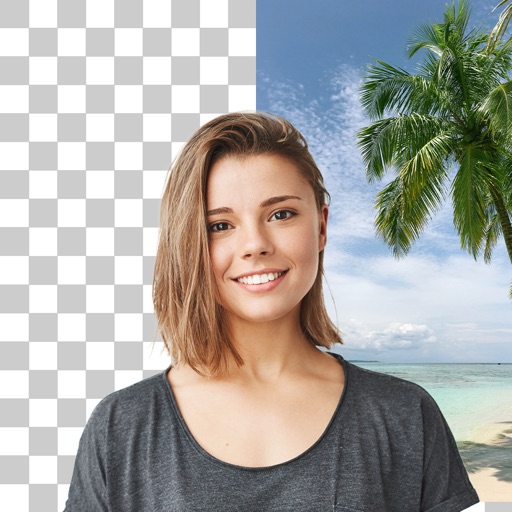
Remove backgrounds from product photos using AI. Retouch images with one tap. Change backgrounds automatically based on product type. Export edited photos for online marketplaces. Adjust colors and brightness for professional results.
by Cardinal Blue Software, Inc★ 4.69 ratingsGraphics & DesignFreeData updated 2026-09-06
Edit photos with AI-powered object removal and background blur. Generate from text using AI. Adjust colors, brightness, and contrast. Add filters and effects. Crop and resize . Share edited photos directly to social media.
Edit photos with cropping, filters, and adjustments. Remove unwanted objects or people using the Magic tool. Replace backgrounds to create montages. Create collages with pre-designed templates. Export edited photos in multiple formats.
Edit photos with AI-powered retouch tools to airbrush skin, smooth wrinkles, and even skin tone. Whiten teeth with a swipe and highlight or soften features. Apply exclusive makeup looks with customizable options.
Remove backgrounds or objects using AI by adding a and tapping "remove." Adjust the new background to a custom color, white, another image, a gradient, or a preset. Add text, shapes, and photos to the edited image.
Remove unwanted objects, text, or backgrounds from images or videos. Use finger gestures to select areas for deletion. Automatically blend removed sections with surrounding content for seamless results. Edit both static images and clips.
Edit videos by trimming, splitting, and merging clips with adjustable durations and transitional animations. Apply diverse filters and retouch photos. Add multi-layer subtitles with adjustable timing and customizable fonts.
Edit photos with auto enhance, wrinkle removal, skin smoothing, and blemish removal. Whitening teeth and removing red eye. Adjust color, sharpness, and apply color splash. Add background music and record voiceovers.
Remove backgrounds from photos using AI-powered auto-detection. Cut out subjects with one touch. Export as high-quality PNGs with transparent backgrounds. Edit images by adjusting edges and refining details. Save and share edited files directly.
Remove backgrounds from photos using AI to detect and isolate objects. Change backgrounds with gradient options or custom colors. Save edited images to the photo library and share them on social media.
Create collages and edit photos with cropping, filters, and text. Add stickers and remove backgrounds. Edit videos, create slideshows, and design invitations. Share directly to Instagram with hashtag management.
Create professional-quality designs using customizable templates. Add vivid colors, fonts, and effects. Import premium stock media. Use AI to generate images. Export designs for e-commerce and purposes.
Edit photos with filters, effects, and AI tools to remove or blur backgrounds. Add stickers, text, and frames. Apply glitch, neon, and drip effects. Adjust colors and crop images. Export and share edited photos directly.
Remove backgrounds from images using U^2-Net technology. Apply customizable themes and color backgrounds. Enhance social media profiles with professional-looking designs. Export edited images directly.
Photo backgrounds using AI-powered object recognition and automatic cutting. Edit images to create transparent backgrounds. Erase objects or elements with realistic results. Save and share edited images directly.