Display clock widgets on home screen with transparent backgrounds. Choose from round, scallop, or clover shapes. Automatically adjust theme colors based on wallpaper. Customize properties such as size and position.
by 一玮 王★ 5.02 ratingsUtilities$0.79Data updated 2026-09-06
Create and save to-do lists with text input. Add widgets to home screen in various sizes. Support dark mode for customization. Enable quick access to tasks from the home interface.
Monitor communication usage and memory consumption directly on the home screen. Check free storage and device heat status. Customize background and font colors. Set reset intervals from 1 to 25 days. Multiple widgets can be added and managed.
Display NFTs as home screen by entering an Ethereum address. Add and customize to show selected NFTs. Adjust widget settings to control title visibility, position, and text color.
Monitor channel performance with real-time subscriber and view counts. Add up to ten channels for simultaneous tracking. Display statistics on Home and Lock screens without requiring a sign-in.
View events in month view with full screen swipe navigation or vertical scrolling. Access week view with portrait or landscape layout options. Add calendar widgets to home screen for quick event access. Requires in- purchase for widgets.
Set daily 4K with curated images. Choose from ultra HD and full HD options. Adjust wallpaper settings and preview effects. Sync with iPhone desktop for dynamic backgrounds.
Create custom widgets on iPhone home screen by entering text and saving. Select size and place on home screen via long press and + button. Supports all sizes and dark mode.
Control smart home accessories with widgets on Home Screen and Lock Screen. Create advanced automations beyond Home capabilities. Access all accessory features and customize with wallpapers. Backup and restore HomeKit configurations.
Add unlimited to Home Screen and Lock Screen. Edit notes directly on . Customize appearance and set interactive elements. View notes instantly upon picking up the phone. Supports transparent and standby widget styles.
Create custom and home with dynamic icons, quick launcher, countdown, battery, and health features. Edit using a simple editor. Choose from multiple styles and fonts. Add of various sizes.
Displays desktop widgets for productivity and customization. View clocks, world clocks, and countdowns. Access photo albums and music players. Monitor system usage, network activity, battery, and performance.
Display birthdays with customizable widgets on home screen and lockscreen. Set age countdowns and receive reminders. Sync across devices using iCloud. Choose from multiple widget styles, themes, and sizes. Support light and dark modes. No ads.
Allows users to customize Apple Watch with a variety of designs. Users can select from abstract, nature, landscape, cars, sports, and fashion themes. Features include live wallpapers, transparent backgrounds, and weekly updates.
Perform calculations directly from the home screen or control center. Use an interactive to add, subtract, multiply, and divide. Access basic and advanced functions without opening a separate .
Customize home and lock screens with live wallpapers featuring animations and dynamic visuals. Choose from a variety of themes and backgrounds. Apply personalized and icons. Adjust layout and colors to match preferences.
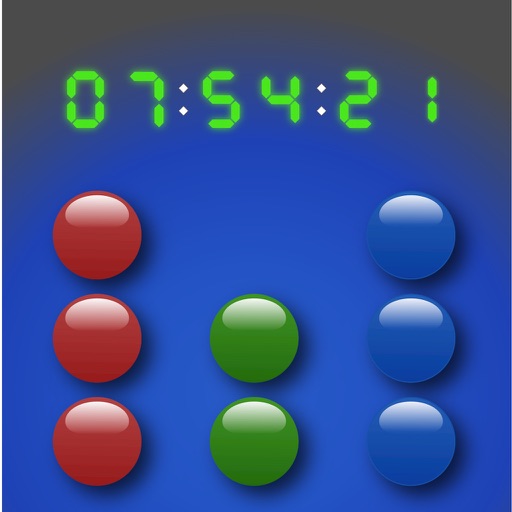
Display time in and BCD formats with optional digital overlay. Switch between 24-hour and 12-hour modes. Customize colors and disable screen lock for personalized use.
Access contacts directly from the home screen via customizable widgets. Make calls or send messages with one tap to iMessage, WhatsApp, or Telegram. Requires Shortcuts for call functionality.