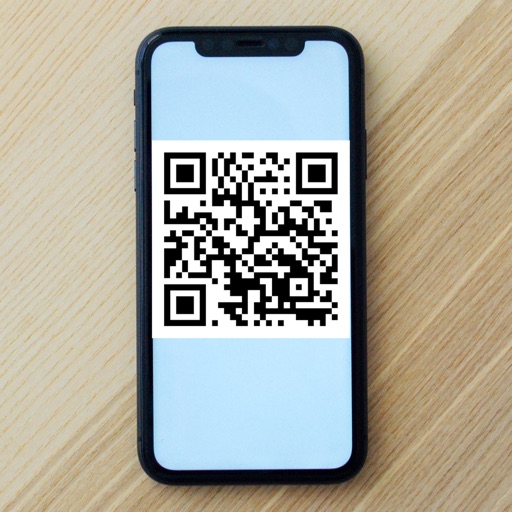
Scan QR codes and barcodes to access website safety checks and product information. Create and share custom QRs for URLs, Wi-Fi, emails, contacts, and locations. View scanned data details and share results directly.
Set tempo with keypad or slide pendulum for 20 to 999 BPM. Choose time signatures from 2/1 up to 9/8. Adjust beat subdivisions. Start, stop, and reset the . Sync with Apple Health for workout tracking.
Receive SMS codes using a virtual number. Enter a country and service to generate a number, copy it, and verify accounts without sharing your real number.
Securely authenticate online accounts with time-based one-time passwords (TOTP). Generate codes directly on your iPhone for email, social media, crypto platforms, and business tools.
Convert images to vector files with AI-enhanced tracing. Import JPEG, PNG, or WEBP and export as SVG or high-resolution PNG. Edit SVG files manually for precise adjustments.
Edit designs, process files, and control laser machines wirelessly. Snap images for processing without a computer. Curve text with drag-and-click. Generate barcodes and manage projects across devices.
Design with precision, edit vector graphics, create
Create illustrations, branding, logos, and UI/UX designs. Edit vector graphics and raster images. Apply filters, adjust colors, and add text. Export in multiple formats and share directly. Sync with desktop versions for seamless workflow.
Solve mathematical equations and visualize results in 2D and 3D. Plot cartesian, polar, spherical, and parametric functions. Animate equations and vector fields. Find intersections of functions. Support for complex functions.
Create expressive sketches, rich paintings, and detailed illustrations. Use hundreds of handmade brushes and an advanced layer system. Animate with the Valkyrie graphics engine. Edit and export artwork in multiple formats.
Design and edit projects directly on with text curve tools and barcode generation. Connect and control laser machines wirelessly. Process designs on the go without needing a computer. Edit and adjust projects for laser cutting and engraving.
Shorten URLs to save space in spreadsheets and improve readability. Manage long and shortened URLs with session history. Edit and save URLs directly on iPhone, iPad, and Mac. No account required.
Generate QR codes by pasting URLs, text, or any data. Customize designs with icons, shapes, colors, and text. Save QR codes to Files, Photo Library, or set as widgets. Share directly from iOS Share Menu. Use templates or batch create multiple codes.
Add bubbles to photos to create comic-style . Place text on images of friends. Adjust bubble styles, fonts, and colors. Add multiple bubbles to group photos. Share creations with others.
Create flyers, logos, and graphics with customizable templates and icons. Edit designs with professional tools. Upload or use images from a library. Export files for print or online publishing.
Search for free photos, cliparts, and video clips with a fast interface. Swipe through results and view images with zoom and pan. Download content for commercial use without attribution.
Convert raster images to editable drawings with custom filters for various styles including grayscale, two-tone, Pop-Art, and polygonal shapes. Edit vectors with advanced tools, adjust colors, and save or share the results.
Schedule posts for Instagram, Facebook, Twitter, TikTok, LinkedIn, and Pinterest. Manage multiple accounts from one . Auto-publish content in advance. Edit captions and add directly. View analytics and engagement metrics.
Generates time-based one-time passwords for 2-factor authentication. Users can add accounts, scan QR codes, and view token codes. Tokens refresh every 30 seconds and sync across devices.