Apps Like Green screen:background eraser for iPhone and iPad
Edit videos and photos with background removal
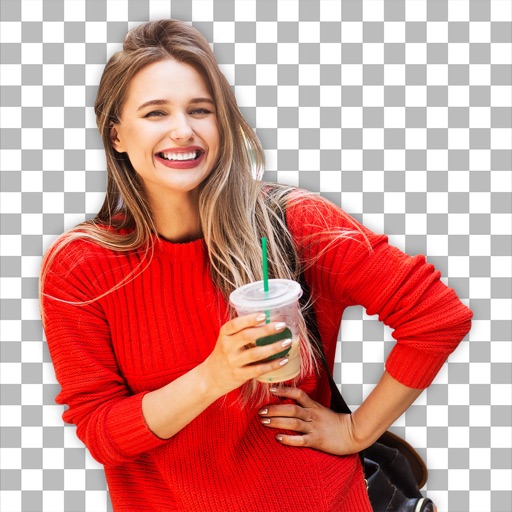
Remove backgrounds from photos and videos using advanced neural network technology. Change backgrounds to any desired image. Use presets or customize styles. Edit, resize, rotate, and crop media. Apply filters, add stickers, logos, and text.
by Capti AI FZ-LLC★ 4.11,355 ratingsEntertainmentFreeData updated 2026-09-06
Create collages by mixing and arranging photos, rotating, and moving them freely. Add text, stickers, and backgrounds with customizable fonts, sizes, and colors. Draw or write on photos using a doodle tool. Export and share finished collages.
Create custom Battle Royale by combining and scenes. Apply six filters with special effects. Save and download Full HD for phone or tablet. Customize lock screen with FX backgrounds.
Create lip-synced videos by selecting images and inputting text. Generate realistic voiceovers and synchronize them with facial movements. Share videos directly to social media or send as messages.
Change selfie backgrounds for celebrity makeovers.
The app allows users to change the background of selfies and merge pictures without erasing. Users can rotate, resize, add text with font and color options, and choose from over 65 backgrounds.
Edit photos with filters, cropping, and brightness adjustments. Add text and stickers. Export in multiple formats and share directly. Apply stylish free and premium filters for social media use.
Apply to images and adjust positioning. Resize, rotate, and move photos freely. Save edited images directly to the gallery. No internet connection is required. Offers multiple frame options for creative customization.
Remove backgrounds instantly and replace them with images or videos from the gallery or camera. Add music, GIFs, or animations. Choose from a large library of backgrounds and animations. Edit backgrounds in real-time.
Play YouTube playlists and videos in background and audio-only mode. Control playback and skip tracks. Extend device battery life by reducing screen usage.
Remove from photos by selecting areas to erase or using color selection. Add custom backgrounds. Undo or reset edits. Import photos from phone or take new shots with the built-in camera.
Adjust and resize to fit iOS 7 wallpapers and screens. Zoom, scale, and images for custom backgrounds. Preview modified wallpapers directly within the .
Set home screen and lock screen wallpapers with full-screen images. Choose from a collection of high-quality wallpapers. Apply wallpapers quickly with a simple interface.
Take photos with a dedicated Camera. Apply adjustable filters to enhance the effect. Manipulate images using warp tools like bump, pinch, or swirl. Add emojis and text for customization. Save and view created memes in a mosaic format.
Apply New frames to photos. Add stickers and shapes. Create collages with holiday patterns. Customize designs for Hindu culture celebrations. Share edited images directly.
Take photos with real-time beauty filters and effects. Apply makeup and adjust skin tone instantly. Use photo filters to enhance images. Create collages by combining multiple photos. Edit with blur, whiten, and other tools.
Morph faces in videos using AI technology. Upload videos and apply swaps. Edit and export results. Upgrade to Pro for longer videos and ad-free experience.
Create videos by combining clips and adding text or frames. Choose from various fonts and adjust video length and text position. Crop videos to square for Instagram or Vine. Add music and adjust volume.
Edit by cutting out subjects and pasting them onto chosen backgrounds. Adjust brightness, opacity, and shape. Add multiple and share creations on Instagram.