Create and share videos with customizable sound effects and visual elements. Explore fidget toys like spinners, sander, and pop it. Edit and export videos. Sync with social media platforms. Track progress and interact with in- tools.
Color by number to fill 2D and 3D pixel art. Switch between 2D and 3D modes. Create moving 3D images or static 2D artwork. Save and share completed designs. Adjust color palettes and zoom in for detailed work.
Create art by spraying colors onto stencils. Select and place stencils to fill in objects. Choose colors and to cover stencils. Remove stencils to reveal completed artwork. Share finished pieces with others.
Color : Painting Book lets users select and color pre-designed characters. Features include drawing tools, color palettes, and saving artwork. Users can share completed drawings and access challenges to improve artistic skills.
Create drawings by combining different art styles. Divide images into sections and apply unique styles to each part. Mix and match colors and patterns to design custom artwork. Save and share completed creations.
Play a competitive painting game by replicating given images within a time limit. Choose from various paintings to copy. Compete against others in real-time. Use color and precision to match the artwork accurately.
Create and customize virtual makeup looks using a wide range of products and tools. Apply different hairstyles and items to characters. Save and share finished designs with friends.
Command stickmen to launch pixel projectiles and fill tiles with specific colors to reveal artwork. Strategically position stickmen to complete levels and unlock new pixel art designs. Track progress through increasingly complex puzzles.
Match jewels to complete hundreds of unique levels. Use boosters to assist with difficult puzzles. Create cool combos with rare bombs. Enjoy stunning music, beautiful backgrounds, and colorful graphics.
Rescue balls by rotating the 3D scene and pulling them. Aim accurately to avoid jams. Match three same-color balls to fill the painting. Use the hold spool to store temporary pieces. Create artwork by completing color matches.
Allows users to based on numbers to create artwork. Select colors and apply them to numbered sections. Save and share completed drawings. Track progress and revisit previous creations.
Swipe to fill blocks and reveal hidden pixel art. Avoid touching enemies to progress. Tap to select and move blocks. Complete levels to unlock new images. Track progress and replay levels.
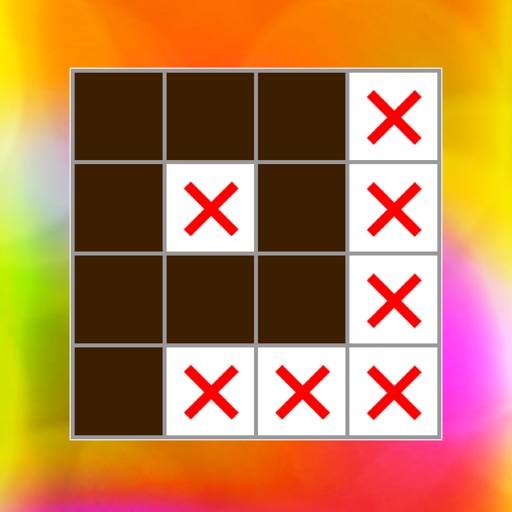
Solve pixel art using numbered hints to determine filled and blank pixels. Reveal images by logically deducing correct cells. Play hundreds of with increasing difficulty. Track progress and complete challenges. Share completed artwork with others.