SimplePointCloudScan app icon

Apps Like SimplePointCloudScan for iPhone and iPad

by kazutaka komiya★ 0.00 ratingsPhoto & VideoFreeData updated 2026-09-06

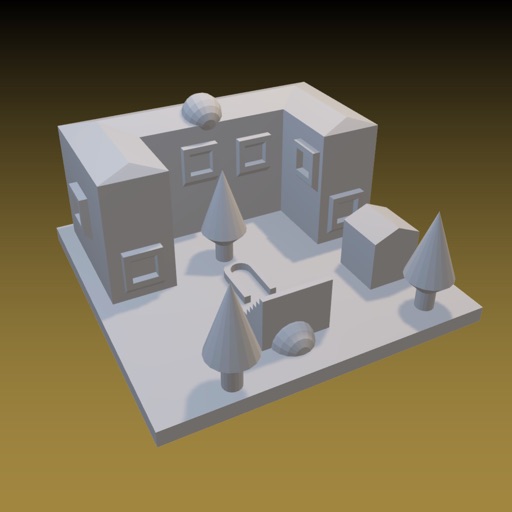
SimplePointCloudScan screenshots

Ranked alternatives

Showing 1–20 of 1,000 ranked alternatives.

  1. pronoScan2CAD app icon

    pronoScan2CAD

    PRONO HEARTS Inc.

    Plot points to create 2D drawings

    Create 2D drawings from 3D point clouds captured by LiDAR-enabled devices. Plot points and draw line segments on the preview. Export drawings as DXF files. Limit line segments to four when lock is engaged.

    ★ 4.05 ratingsPhoto & VideoFreeData updated 2026-09-06
  1. Abound - 3D Scanner app icon

    Abound - 3D Scanner

    Abound Labs Inc.

    Scan, edit, share 3D models

    Capture and scan objects or spaces to create detailed 3D models using camera zoom, auto-timer, and manual focus. Scan areas by walking with a mini-map, interactive camera views, and real-time raytrace preview.

    ★ 4.5842 ratingsPhoto & VideoFreeData updated 2026-09-06
  2. Dot3D - LiDAR 3D Scanning app icon

    Dot3D - LiDAR 3D Scanning

    DotProduct LLC

    Scan, capture, and export 3D models

    Create and edit 3D models using -equipped devices. Scan objects and environments to generate detailed point clouds. Export scans in various formats. Integrate with 3D modeling software. Adjust scan settings for precision and detail.

    ★ 4.788 ratingsPhoto & VideoFreeData updated 2026-09-06
  3. Scaniverse - 3D Scanner app icon

    Scaniverse - 3D Scanner

    Toolbox AI, Inc

    Capture 3D scans with your phone

    Capture 3D scans using on-device Gaussian splatting. Walk around an object to capture multiple angles. Adjust brightness, contrast, and crop scans. Share 3D scans on a global map and explore 3D photos of real-world locations.

    ★ 4.810,970 ratingsPhoto & VideoFreeData updated 2026-09-06
  4. LiDAR Scanner 3D app icon

    LiDAR Scanner 3D

    Marek Simonik

    3D-scan objects and export models

    3D scan objects and spaces using sensor. Export models in USDZ, OBJ, STL, PLY, DXF, and LAS formats. Create scans with FaceID devices via Heges . No color data included in scans. Requires sensor for accurate modeling.

    ★ 3.230 ratingsPhoto & VideoFreeData updated 2026-09-06
  5. radcam ㅤ app icon

    radcam ㅤ

    Going Merry LLC

    Edit photos with film tones and vintage

    Edit photos with 60+ presets and filters including film-inspired tones, vintage looks, moody edits, and retro grain. Apply filters live during photo capture. Export edited images in various formats and share directly.

    ★ 4.537,462 ratingsPhoto & VideoFreeData updated 2026-09-06
  6. Image Size app icon

    Image Size

    Vitalij Schaefer

    Resize images in pixels, millimeters, centimeters,

    Resize images by specifying dimensions in pixels, millimeters, centimeters, or inches. Maintain aspect ratio by linking width and height fields. Save, email, print, or share the resized .

    ★ 4.729,767 ratingsPhoto & VideoFreeData updated 2026-09-08
  7. Focos Live app icon

    Focos Live

    Mosaic S.r.l.

    Record cinematic videos and edit masterfully

    Record cinematic videos with wide aperture and bokeh effects on dual, triple, and LiDAR camera iPhones and iPads. Edit with keyframe controls, adjustment layers, and customizable settings. Export final videos directly.

    ★ 4.55,451 ratingsPhoto & VideoFreeData updated 2026-09-06
  8. ProCamera. Professional Camera app icon

    ProCamera. Professional Camera

    Cocologics GmbH

    Capture and edit -quality photos and videos

    Capture photos and videos with manual controls, exposure adjustment, and focus customization. Import and organize media from iOS photo library. Edit images with filters, cropping, and brightness adjustments. Share directly to social media or email.

    ★ 4.711,221 ratingsPhoto & VideoFreeData updated 2026-09-08
  9. Video Compress - Shrink Videos app icon

    Video Compress - Shrink Videos

    娜 彭

    And adjust file size

    To reduce file size using a slider for manual adjustment. Maintain quality during compression. No internet required; all processing occurs locally on the device. Save space and prepare for sharing without uploads.

    ★ 4.511,164 ratingsPhoto & VideoFreeData updated 2026-09-06
  10. Polycam 3D Scanner, LiDAR, 360 app icon

    Polycam 3D Scanner, LiDAR, 360

    Polycam Inc.

    Capture 3D models from photos

    Create high-quality 3D models from photos and LiDAR scans. Capture 360° images and edit directly on iPhone or iPad. Export in industry-compatible formats. Share work and connect with creators globally.

    ★ 4.740,786 ratingsPhoto & VideoFreeData updated 2026-09-06
  11. YOON 3D app icon

    YOON 3D

    Georgi Nikolov

    ★ 0.00 ratingsGraphics & DesignFreeData updated 2026-09-06
  12. The Image Converter □ app icon

    The Image Converter □

    Float Tech, LLC

    Convert photos to any format

    Convert photos to various formats like JPG, PNG, GIF, and SVG. Select input file, choose output format, and convert in seconds. Save or open converted files in preferred apps. Supports multiple input and output formats.

    ★ 4.616,642 ratingsProductivityFreeData updated 2026-09-09
  13. DSLR Camera app icon

    DSLR Camera

    Fulvio Scichilone

    Shoot photos and videos manually

    Record video and photos with manual controls for exposure, focus, and white balance. Use advanced editing tools with 200+ professional filters. Adjust settings for low-light performance. Share directly via iMessage or social media.

    ★ 4.72,879 ratingsPhoto & Video$0.99Data updated 2026-09-09
  14. ScanKit app icon

    ScanKit

    Kenneth Schroeder

    ★ 0.00 ratingsDeveloper ToolsFreeData updated 2026-09-06
  15. Recon-3D app icon

    Recon-3D

    Recon-3D Inc.

    Scan and process 3D models locally

    Create 3D scans using photogrammetry and lidar. Adjust scale with April Tags for real-world measurements. Export data in e57 format for analysis. Process data locally or in the cloud without internet transmission.

    ★ 4.9254 ratingsUtilitiesFreeData updated 2026-09-06

How we rank alternatives

Apps are ranked by functional similarity, category fit, rating confidence, and popularity.