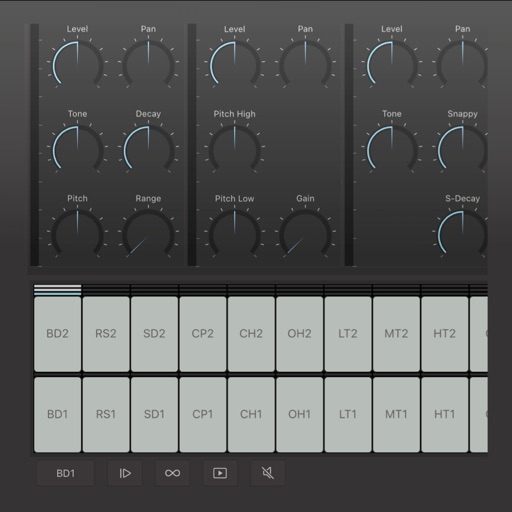
Allows users to create and customize drum patterns using 16 drum pads. Each pad can trigger individual sounds or loops. Users can load custom samples or drum loops and have them sliced automatically.
The app transforms an iPhone and iPad into a premium sampler and synthesizer for music production. It offers a dual-layer rompler engine and a touch-optimized workflow for creating studio-quality music anywhere.
Allows users to apply multiband compression and expansion to audio. Users can adjust up to six bands across the frequency spectrum. It offers Linear Phase, Minimum Phase, and Dynamic Phase processing modes.
Create and record musical patterns by tapping and swiping multi-touch pads. Record continuously without setting a tempo. Drag and adjust pads for customization. Play and refine patterns without stopping. Sync with audio units and standalone devices.
Create and manipulate audio samples with granular synthesis and cloud-based sampling. Use MPE for expressive control. Access samples across iOS and desktop devices. Adjust parameters for precise sound shaping. Export and share audio files directly.
Create and save unlimited presets with 16 patterns each. Adjust polyphonic and polyrhythmic sequences. Sync presets to iCloud. Use as a standalone or AUv3 MIDI effect. Generate melodic patterns from played notes or chords.
Create and customize beats using a built-in drum synth. Import or select from numerous WAVs and loops. Access classic drum sounds and patterns. Integrate with plugin ecosystems for expanded creative options.
Record and MIDI tracks for music production. Edit vocals for pitch and timing. Use virtual instruments and effects. Create drum patterns with custom samples. Mix and automate tracks with unlimited undo/redo.
Load SoundFont and DLS libraries for access to a wide range of instruments. Support General MIDI setup. Use Hi-Res Engine for clean, low-noise audio. Integrate as a plug-in instrument in DAWs. Perform audio processing with floating-point precision.
Adjust audio pitch in real time for monophonic signals between 50Hz and 2000Hz. Apply auto pitch correction to male and female voices. Modify correction intensity and speed. Add robotic tuning effects with low latency.
ToneBoosters displays real-time , spectrum, and goniometer visuals. It processes microphone input for audio analysis. Supports AUv3 plugin format for integration with compatible host apps.
Create and edit drum patterns using 27 drum voices. Apply effects like delay, chorus, and reverb. Automate parameters and sequence 16-bar patterns. Save and load project files for later editing.
Test your knowledge of K-pop celebrities with modes including picture, name, typing, trivia, and mixed games. Answer questions about 340+ K-pop stars. Compete on leaderboards to track your ranking. Add new idols regularly.