Create 3D models of products, objects, and scenes using an iPhone 11 or newer. and share high-quality 3D content online. Generate cinematic product videos and dynamic camera movements for TikTok. Export and view 3D scenes directly on the web.
by Luma AI, Inc.★ 4.51,815 ratingsPhoto & VideoFreeData updated 2026-09-06
Capture 360° HDRi images using multi-exposure panoramas. Adjust dynamic range settings. Stitch and export 32-bit EXR format files. Generate realistic 3D lighting and lightmaps for animation and compositing.
Record 4K HDR videos with 3D camera tracking in real-world scale. Organize footage by project or sequence. Export in industry-standard formats for animation and VFX software.
Convert text or images into cinematic videos with AI. Generate clips and reels without editing skills. Use prompts or reference images to create animated content for ads, promos, and social media. Sync with Apple Health.
Create live graphics and animations by connecting nodes in any direction. Use Pixel Nodes to design visuals and filters, animate with Float nodes, build interfaces with View Nodes, and execute scripts with Data Nodes.
Create animations and stories using stop-motion techniques. Customize scenes with characters, maps, and dialogues. Build alternate universes and combine elements freely. Export and share finished projects.
Build and customize interactive 3D scenes with drag-and-drop objects. Capture videos with augmented reality effects in real-time. Share videos with friends via social media or messaging apps.
Edit photos with cartoon-style anime filters and portrait transformations. Colorize black-and-white images using AI. Remove or replace backgrounds with one tap. Enhance skin tone and texture with AI-powered retouching.
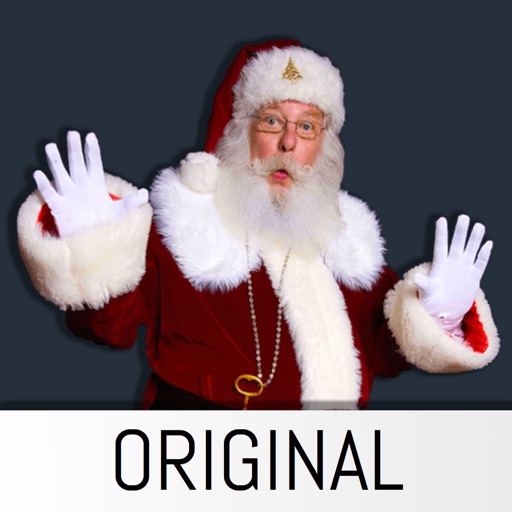
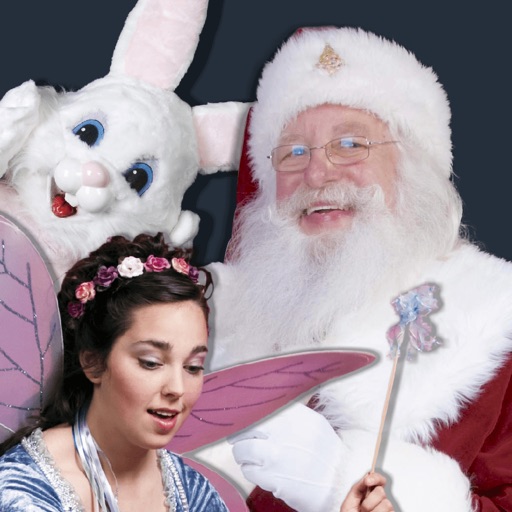
The app allows users to insert Santa stickers into photos. Users can create custom scenes for various holidays and events, save, and share unlimited pictures.
Create videos from text prompts with AI-generated scenes. Select styles like dreamy or cinematic. Choose length and format. Fine-tune details for customization. Export final videos for sharing. Requires subscription for full features.
Edit photos and videos using AI-generated styles and effects. Apply filters, adjust colors, and transform images into different artistic styles. Share edited content directly to social media platforms.
And video by connecting a camera and microphone to your iPad. Start streaming on the move and save footage to built-in storage or an SD card. Edit and upload high-quality content directly from the device. Share videos via social media or email.
Convert videos to Photos with one tap. Trim clips, adjust aspect ratio, and choose custom covers. Save in HEIC format for iOS 17+. Create dynamic wallpapers from travel scenes, pet moments, or daily memories.
Add realistic Santa, Tooth Fairy, and Easter Bunny stickers to photos. Insert stickers into any image for personalized holiday or celebration scenes. Create custom photo cards and share edited images directly.
Record short clips and layer them to create datamosh effects. Adjust frame repetition settings for random or ordered playback. Save outputs as images or videos. Fade back to live camera input during data moshing.